Launching a new website with the hope of attracting organic traffic can leave you wondering where to start with SEO. A free SEO audit tool takes the guesswork out of the process by scanning over 100 technical and content factors in moments. It uncovers critical issues like indexation problems, missing meta information, broken links, and poor site structure before they can undermine your search visibility.
This guide will lead you through a complete SEO audit for new sites and help you interpret the results with confidence. You’ll discover how to apply insights from a free SEO audit to implement fixes that bring measurable improvements in weeks—rather than months.
Why Run an SEO Audit Before Launching Your Site
Launching a website without an initial check is like opening a store with the lights off—you technically exist, but nobody can see you. Search engines favor websites that are correctly built from day one, so catching issues early can save you months of effort. A complete SEO audit reveals what's keeping your pages from appearing in Google search results.
To begin on the right track, booking a free SEO audit lets you schedule a time, share your website URL and goals, and get a quick analysis of your online visibility. This remote session offers a focused look at your SEO hurdles, customized suggestions to boost exposure, and a walkthrough of tools that streamline your content approach.
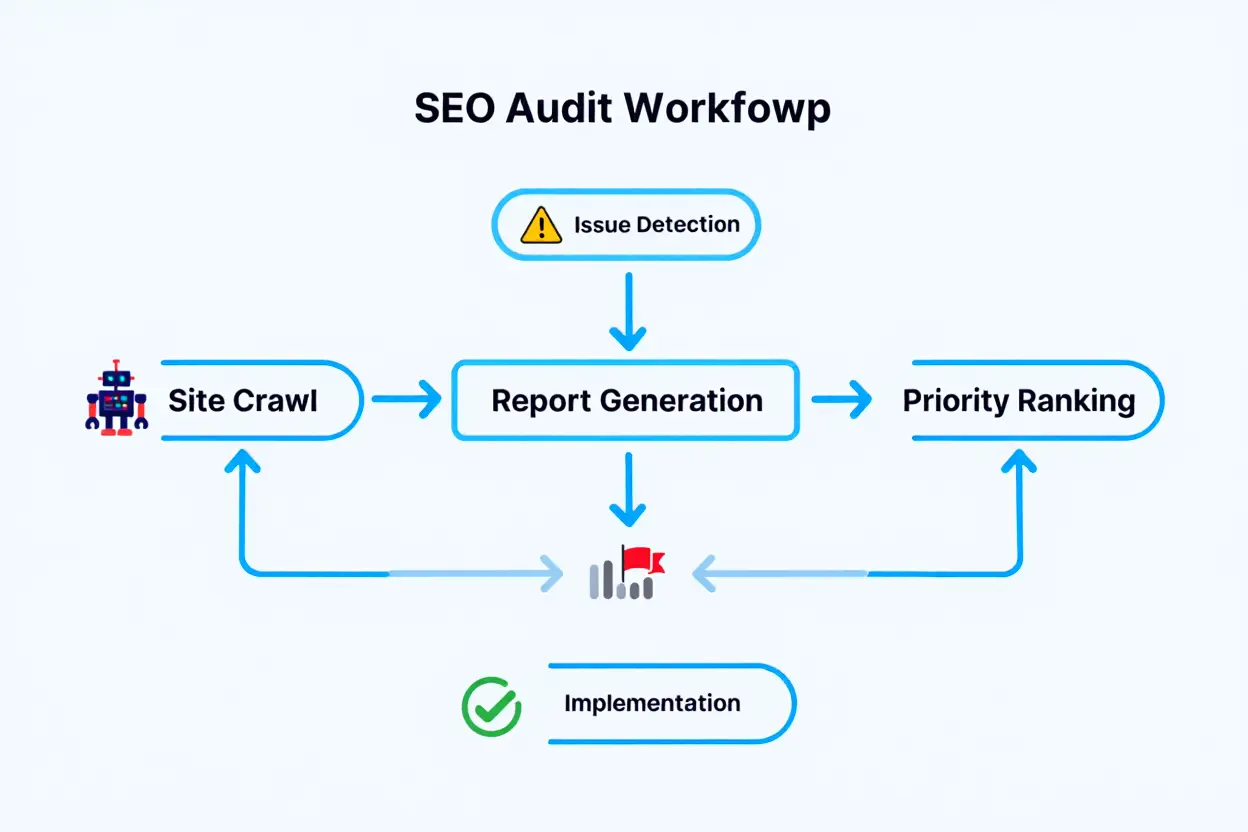
Core Technical Checks for New Website Indexation
Your first priority is making sure Google can actually find and read your pages. Using a solid SEO audit template helps organize this process, so you can confirm whether your robots.txt file is unintentionally restricting key content or if your XML sitemap is absent. It also uncovers HTTP errors—such as 404 or 500 status codes—that can frustrate visitors with broken pages.
Website crawlability is the bedrock of online visibility. If search bots can't access your pages, they simply won't rank. The audit tool also ensures canonical tags point to the correct product page versions, preventing duplicate content from diluting your ranking authority.
- Robots.txt validation: Ensures search engine bots can reach vital pages and assets like CSS, JavaScript, and images without obstruction.
- XML sitemap submission: Confirms a valid sitemap.xml resides at your root domain, contains only canonical URLs, and is promptly submitted to Google Search Console.
- HTTP error detection: Identifies broken internal links, long redirect chains, and mixed-content issues that could disrupt secure connections.
SEO momentum starts with these technical foundations. Submit your sitemap right away—it's a free, quick step that speeds up page discovery significantly. During the first month, review the Page indexing report in Search Console daily to catch errors as they occur.
Using an SEO Audit Template to Organize Findings
Too much data at once can overwhelm progress. A good SEO audit template tackles this by sorting problems by severity—Critical, High, Medium, or Low—so you know exactly what to tackle first. Issues with website crawlability are always labeled Critical because they block all downstream efforts.
An automated audit tool can scan your entire site in minutes and generate a prioritized list of fixes. These reports often provide exact URLs, code line numbers, and sample snippets developers can use right away. Instead of paying for an analysis you won’t use, you receive a practical checklist ready for action.
How to use a free SEO audit tool and analyzer
Getting started with your first SEO audit is quick and simple; the entire process typically takes just five minutes. All you need to do is enter your website’s URL into the online form and click submit. The analyzer will then scan your site, check its crawlability, on-page elements, and other key data points to generate a comprehensive report instantly.
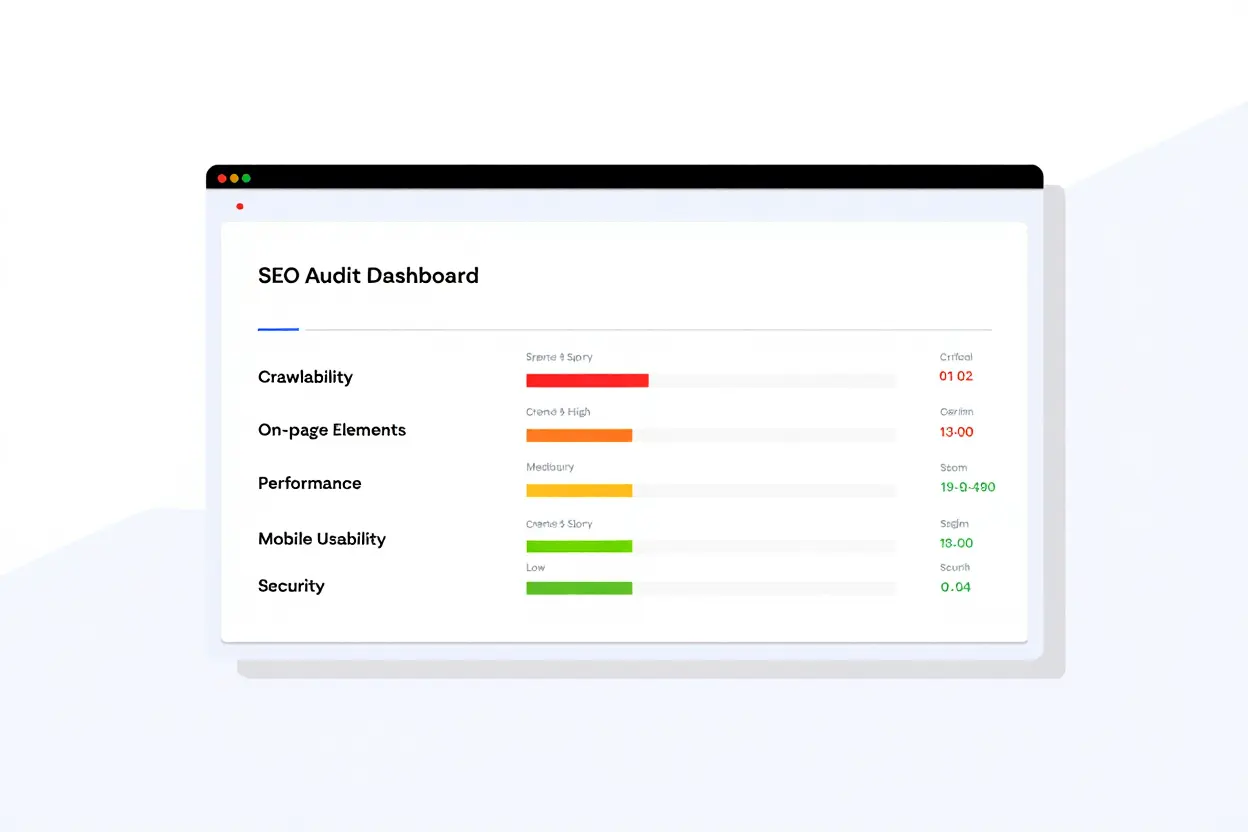
Running your first automated website audit
A free SEO audit quickly delivers an analyzer report in your Sedestral dashboard. It displays an overall technical score along with issues ranked by their impact on your rankings, each explained in plain terms with its fix steps. This actionable format provides you with the exact code or configuration changes you need, moving beyond theory to practical steps.
The comprehensive audit tool examines more than 100 factors, including missing title tags, absent meta descriptions, and broken internal links. It also flags orphan pages, thin content, issues with heading hierarchy, and unoptimized Core Web Vitals metrics. Address critical items within 48 hours, while high-priority tasks should generally be handled within two weeks.
Your baseline metrics are crucial for measuring progress over time. Be sure to record your initial indexed page count, page speed score, and overall SEO health percentage. Once you implement fixes, you can run the SEO audit tool again to see how your score improves and track the results of your optimizations.
Identifying SEO audit red flags in the report
Keep in mind that not every issue has the same level of urgency. Certain SEO audit red flags require immediate action because they can severely harm search visibility or degrade user experience. For instance, a robots.txt file that blocks important directories or pages returning server errors are critical emergencies that can halt traffic entirely.
Scheduling scans to track optimization progress
A one-time check isn’t enough to ensure your site’s long-term health. Schedule weekly scans so the analyzer can continuously monitor your website, catching new problems before they hurt your rank. For a deeper understanding of the fundamentals, take a look at this website audit guide to learn more about structure and performance.
Most importantly, comparing scan results side by side offers a clear visual of your growth. Watching your SEO score improve month after month is highly rewarding and often matches an increase in organic traffic. Instead of guessing, you’re using a reliable tool to track measurable progress toward your goals.
Essential On-Page Analysis and Speed Optimization
While a strong technical foundation is crucial, it's the on-page elements that ultimately determine whether your content will rank for a chosen target keyword. Each page needs a unique title tag, a compelling meta description, and a logical heading structure. Effective keyword placement should clearly signal relevance to Google without ever appearing spammy. Speed is equally vital, as slow-loading pages consistently lose both search visibility and potential customers.
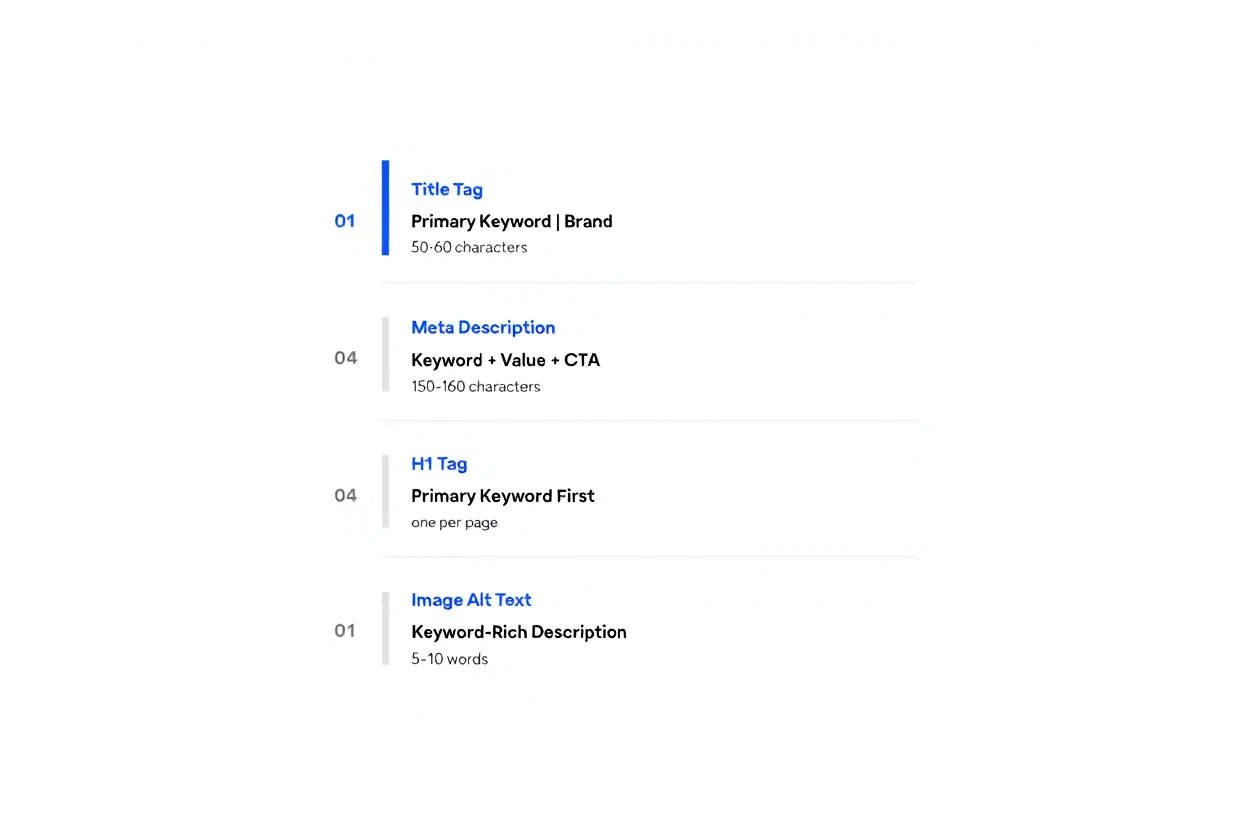
Optimizing Title Tags and Keyword Placement
Your on-page SEO essentials begin with the title tag, the headline that appears in search results; Google sets no fixed character limit for it. This tag should prominently feature your primary keyword near the beginning and clearly communicate your page's value to entice clicks. While vague titles like "Home" are ineffective, specific ones like "Shop Premium Coffee Beans | Fair Trade" actively drive user engagement and conversions.
The meta description lets you summarize your page and incorporate a natural call-to-action. Although meta descriptions don't directly influence your rank, they significantly affect click-through rates.
A thorough analysis of keyword placement recommends including your main keyword within the first 100 words, the H1 heading, and image alt tags. You should also weave it into internal anchor text that links back to the page. Using semantic variations helps you cater to user intent more naturally, steering clear of penalties linked to aggressive keyword stuffing.
Improving Core Web Vitals for Google Rankings
Because Google favors fast websites, core web vitals optimization is essential. This involves meeting three specific performance benchmarks: your Largest Contentful Paint (LCP) must be under 2.5 seconds, your Interaction to Next Paint (INP) at 200 milliseconds or less, and your Cumulative Layout Shift (CLS) below 0.1. Failing to hit these targets can harm your rankings, no matter how good your content is.
Image optimization alone can noticeably cut your page load time, since images are often the heaviest resources on a page. Compress your images to reduce their file sizes without sacrificing quality, and opt for modern formats like WebP over older JPEGs. Implementing lazy-loading ensures images that are off-screen don't delay the initial page render, preventing a single large file from degrading your site's speed.
| Core Web Vital | Current Target | What Impacts It |
| Largest Contentful Paint (LCP) | Under 2.5 seconds | Image optimization, server response time, render-blocking resources |
| Interaction to Next Paint (INP) | 200 milliseconds or less | JavaScript execution, long tasks, browser main thread blocking |
| Cumulative Layout Shift (CLS) | Under 0.1 | Unannounced layout changes, image/video dimensions, dynamic content injection |
Structured Data and Sitemaps for New Websites
While Google can easily read text, it depends heavily on structured data to grasp context. Schema markup explicitly informs search engines about your content’s nature—whether it’s a product listing with a price, a time-sensitive article, or a local business profile.
Without clear structured data, Google is forced to guess your page’s purpose. But when implemented well, proper structured data can qualify your content for rich results, which can make your listing more attractive in search results.
Implementing Schema Markup for Rich Results
A successful structured data implementation begins with JSON-LD, the format Google recommends. Be sure to add BreadcrumbList schema to display your site structure clearly within search results.
Use Product schema for e-commerce items, Article schema for blog content, and LocalBusiness schema for physical services. Each format requires specific details—such as SKU numbers, stock availability, and customer reviews for product pages.
- Google Rich Results Test validation: Use Google’s testing tool to check for syntax errors and verify that the markup reflects your published content.
- Canonical URL inclusion: Always include the canonical URL in your structured data to prevent duplicate content confusion across various URLs.
- Google Search Console monitoring: Use the Enhancements report weekly to identify new schema errors and see which pages qualify for rich results.
Schema errors often fly under the radar since the page still appears normal to users. Monitor your markup regularly and update it whenever you change prices, business hours, or other key information to maintain eligibility for rich results.
Creating and Submitting Sitemaps to Google
Sitemaps and indexing work hand-in-hand to help Google and other search engines understand your site. An XML sitemap lists all important pages with accurate timestamps, helping Google quickly find your latest content.
Generate this file automatically using a built-in platform tool or a free online generator. This simple resource is key to communicating your site structure effectively to search crawlers.
- Sitemap generation: Include all indexable pages, but leave out URLs with noindex tags or low-value areas like admin panels.
- Google Search Console submission: Submit your sitemap.xml in Google Search Console right after launch to speed up indexing and track which pages are indexed.
- Bing Webmaster Tools submission: Also submit to Bing Webmaster Tools, which powers several search engines and captures valuable traffic that many webmasters miss.
- Ongoing updates: Update your sitemap whenever you add significant content or change your site structure to keep search engines in sync with your live site.
Many new websites launch without submitting a sitemap, causing unnecessary delays in indexing. Don’t skip this simple step—it’s often the fastest way to get your pages into the Google search index.
Building Internal Links to Prevent Orphan Pages
Make sure every page has at least two relevant internal links pointing to it to remain visible. Without these links, pages become orphans—invisible to users and hard for crawlers to discover.
When building internal links, use descriptive anchor text that naturally includes a target keyword. Keep your site structure shallow so important pages are never more than three clicks from the homepage.
Implement breadcrumb navigation to clearly show both users and bots your site hierarchy. Whenever you publish a new page, link to it immediately from your homepage or relevant posts—don’t wait for external links to appear.