You know you should publish more. A post a week, maybe two. But between finding the angle, checking what already ranks, writing 2,000 words, sourcing images and pasting it all into your CMS, one article eats a full day. So it slips. Again.
This guide walks you through AI SEO article writing with Sedestral, one article from start to finish: how Alya, the blog agent, analyses Google and the AI engines, what she asks you, what happens behind the scenes during the seven writing phases, and how you review, edit, score, schedule and publish the result to your CMS. Every screen is shown. For the strategy side (topics, clusters, calendar), read the SEO content strategy guide first.
What Is an AI SEO Agent?
An AI SEO agent is an autonomous software module that executes a specific SEO task, such as writing content, auditing pages or tracking rankings, independently, without requiring manual input for each action.
Starting from a keyword, not a blank page
An article always starts from a target keyword. Type it in Blog then Create an article, pick it from a topic in your topic map, or click Generate next to a suggestion in the Toolbox. In this example, an aquarium store targets "how to choose a protein skimmer": an informational query with a buying angle, exactly what a blog post should own.
The moment you validate the keyword, Alya launches two analyses at once. On this screen you can see them ticking off: an AI analysis (generating prompts, fetching answers from ChatGPT, Gemini and other models, analysing the sites they cite, defining AI optimisation recommendations) and a Google analysis (fetching your competitors, semantic analysis of each one, extracting the terms they share, analysing their structure, then a content quality check per competitor).
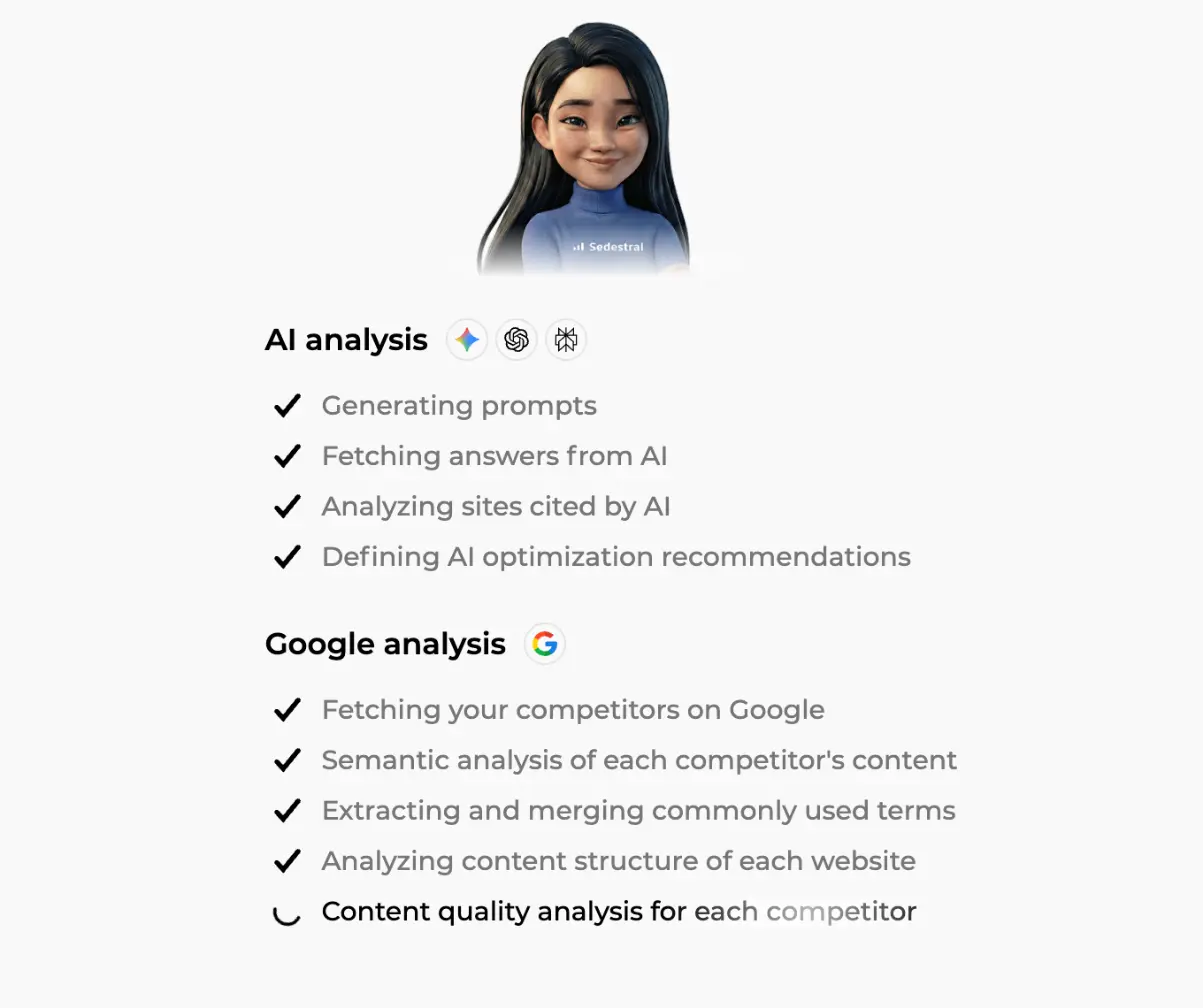
Why both? Because AI assistants build their answers from search results, but they don't always pick the first one. So Sedestral asks the models dozens of questions around your keyword, notes which sources and facts keep coming back, and feeds them into the article. That is GEO (generative engine optimisation), built in from minute one (see our introduction to GEO). The step takes up to two minutes and consumes the article credit.
Step 2, Knowledge: what Alya may learn from
The Knowledge step lists the Google competitors found for the keyword, each with title, URL, word count and a content score gauge. The best are pre-selected (up to six); untick a forum thread or an off-topic page so it doesn't mislead your agent. The Use knowledge from Google competitors toggle switches the whole SERP input on or off.
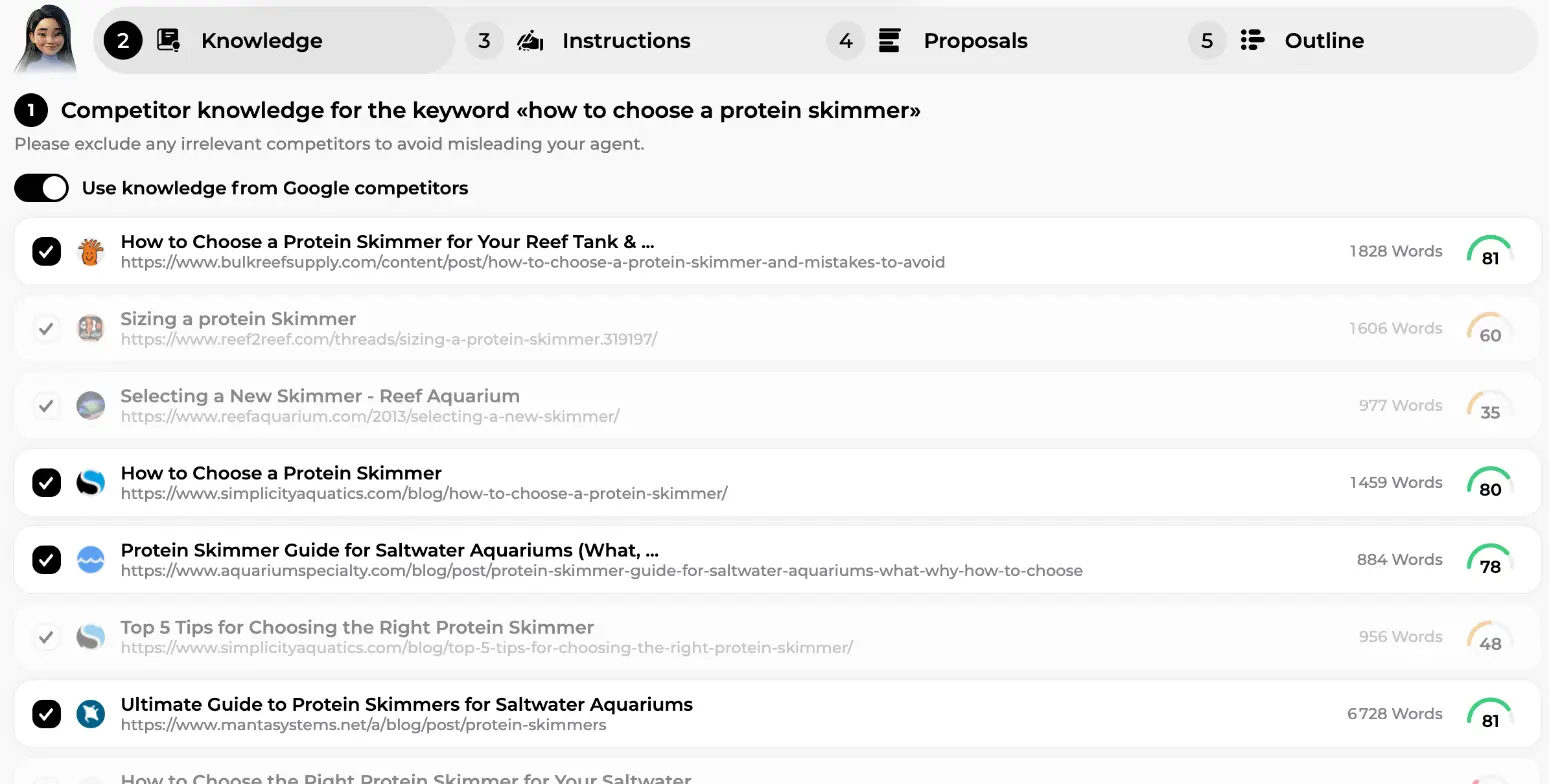
Lower on the same screen: internal links (up to 7, suggested from your own pages), external links (from the trusted domains of your brand context), your knowledge base (documents, product sheets, pasted texts, internal sources first) and the semantic terms from the SERP. Click Validate and continue. Not sure what to put in the knowledge base? The site configuration guide covers it.
Step 3, Instructions: images, length, FAQ, graphic elements
This is where you shape the article without writing a word of it. First, Types of images in your content: product images enhanced with AI, images from your website, fully AI-generated images, royalty-free images, or no image. Combine up to three types for a maximum of three images. Here the store asked for three images from its own site: on brand, zero design work.
Right under it, Content size (automatic but adjustable). Alya shows the average length Google expects for this keyword, 2,042 words in our example, and pre-selects the matching range (1,600 to 2,200 words). Four presets and a Custom option let you override it.
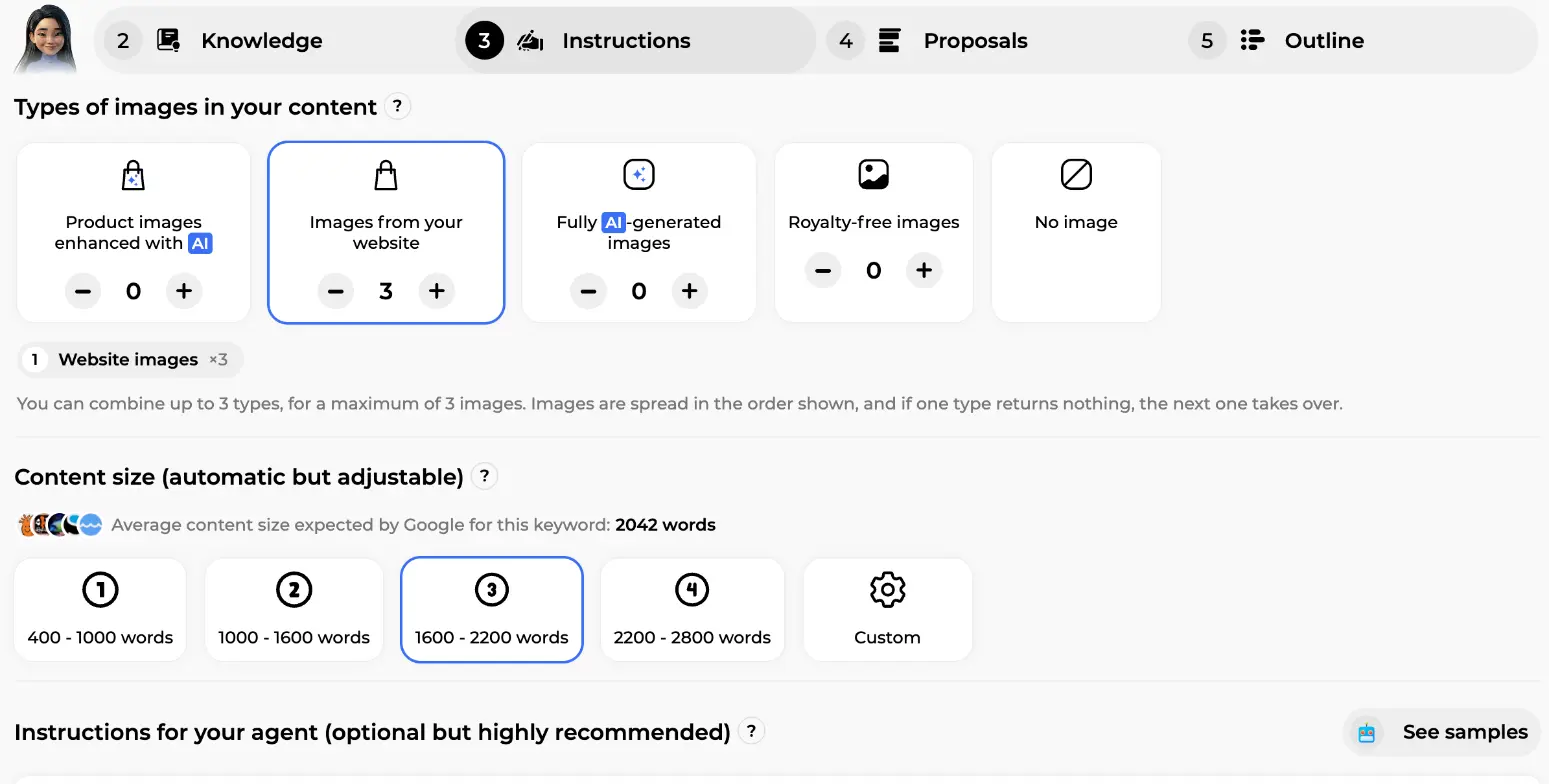
Choose fully AI-generated images and Alya mixes photographs, illustrations and diagrams by section, in the image style and colours of your brand context, logo included.
Scroll down for two switches. Frequently Asked Questions (FAQ) adds a Q&A section built from Google's "People also ask" and competitor questions. Graphic elements lets the AI insert visual blocks from your library at relevant points. On this screen you can see the store's library: a tip box on matching a skimmer to tank volume, a step list, a dark card with a button. Tick up to two to narrow the choice, or let Alya pick from the whole library.
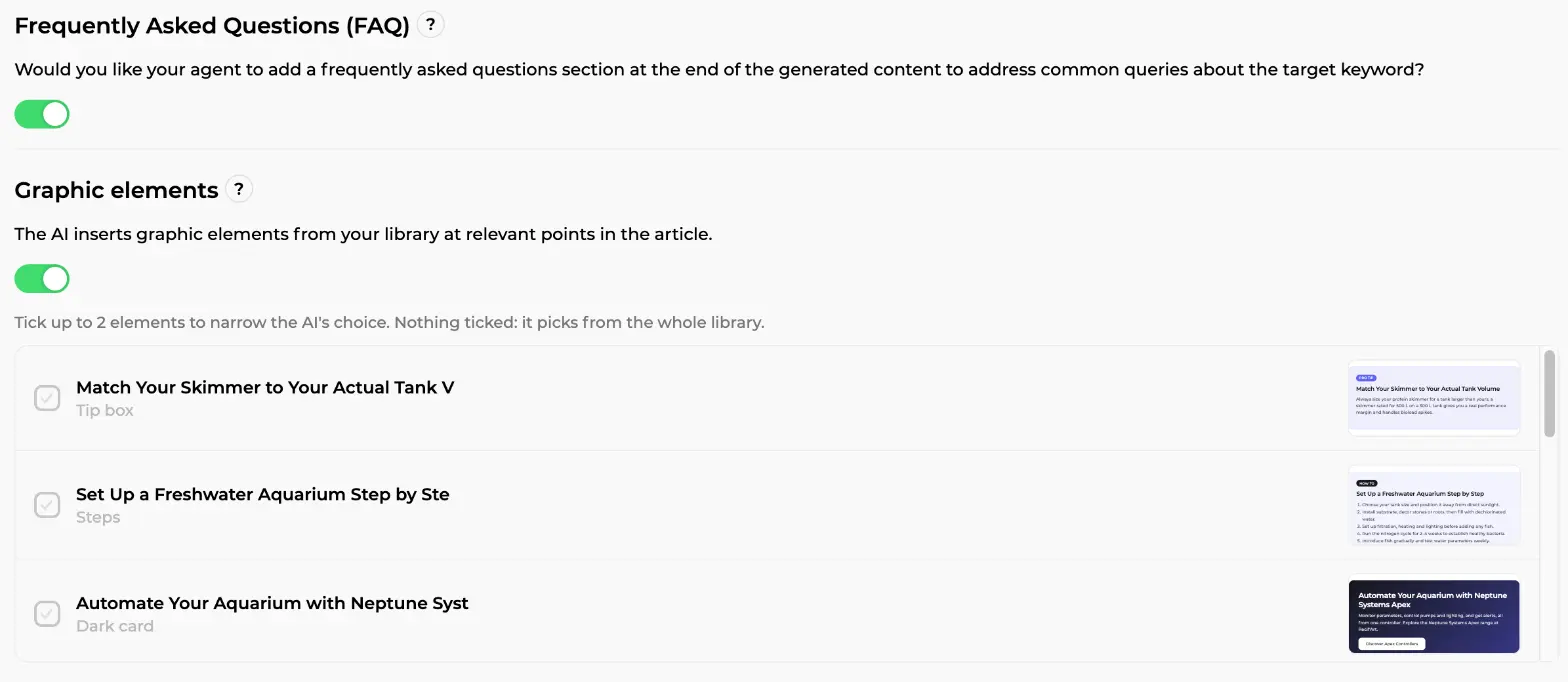
Guardrails: at most two elements per article, never side by side, at most one with a button, and buttons only link to real pages of your site.
Last field: Instructions for your agent (optional but highly recommended). Plain language, a few sentences. The store wrote: write for reef aquarium hobbyists in the UK, compare in-sump and hang-on-back skimmers, explain sizing by tank volume and bioload, mention the Deltec and Reef Factory ranges we sell. A See samples button offers ready-made briefs.
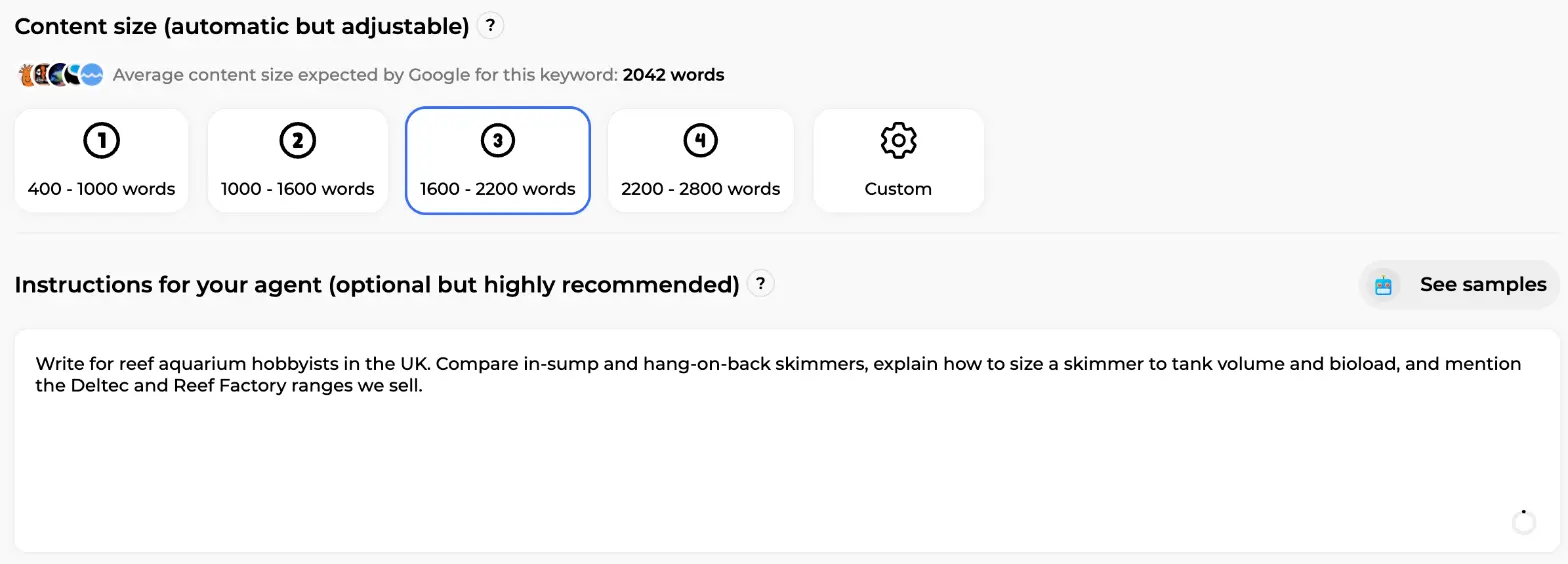
Two sentences about your audience and your products turn a generic article into one only your shop could have written.
Step 4, Proposals: pick the angle
Alya generates several title and meta description proposals, each with a different angle, keyword matches in bold. Each card has Edit and Select this proposal.
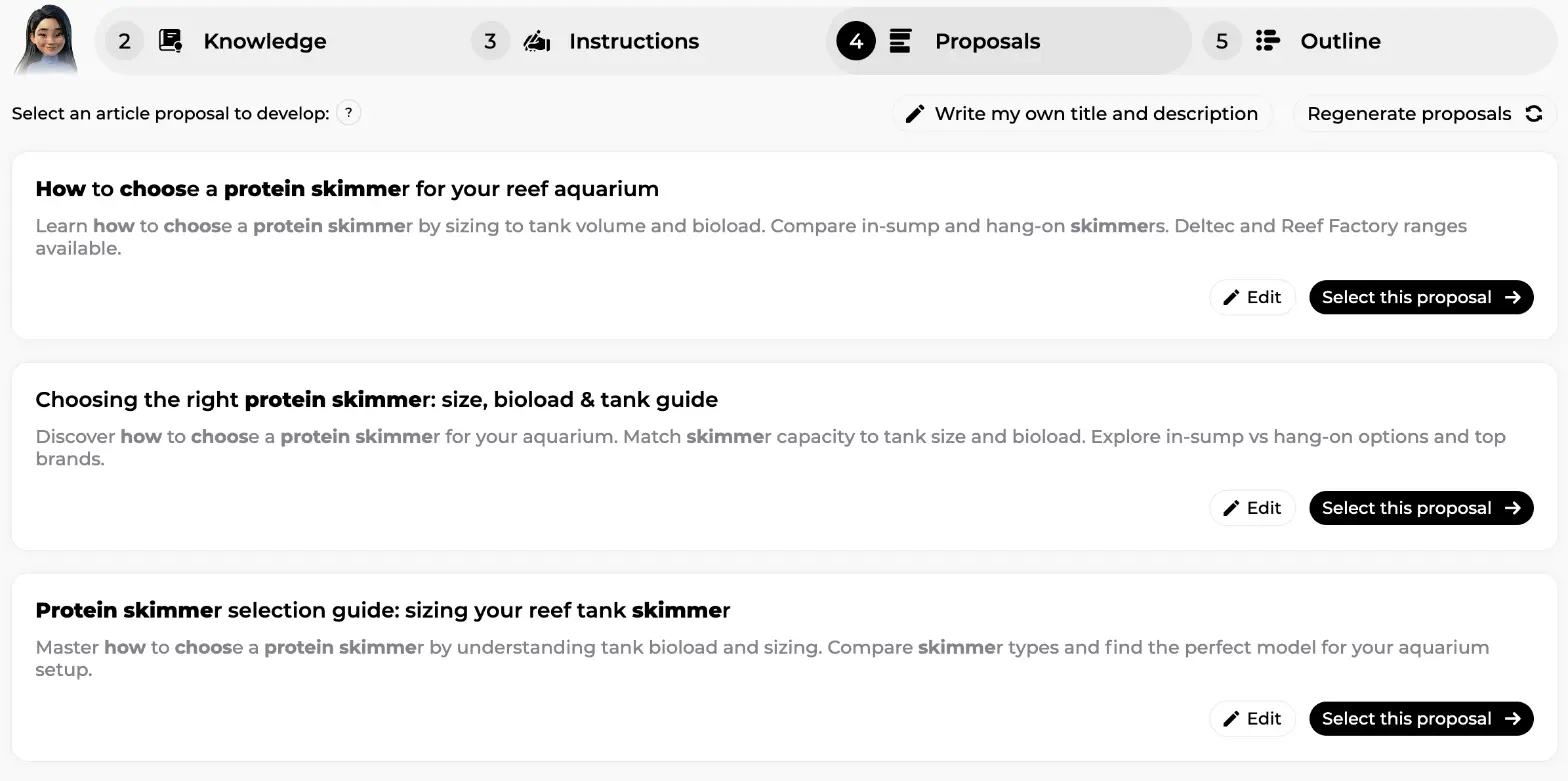
None convincing? Regenerate proposals gives a fresh set; Write my own title and description lets you type yours. The angle decides the search intent the article serves, so give it ten seconds of thought.
Step 5, Outline: the plan you can rewrite
Here's what separates a writing tool from a text generator. Before writing anything, Alya shows the full outline: every H2 with its H3s, editable inline, reorderable by drag and drop, deletable with the bin icon. Per section, tick List or Table to force a format, or add a specific instruction.
Look at the orange box, Factual knowledge to verify. For each section, Alya lists the facts she intends to use, in plain sentences: what a skimmer does, why it works in saltwater and not freshwater, from which tank size it's recommended. Read them, fix a wrong one, delete one, add one. Under it sit the section's secondary keywords, removable with a click.
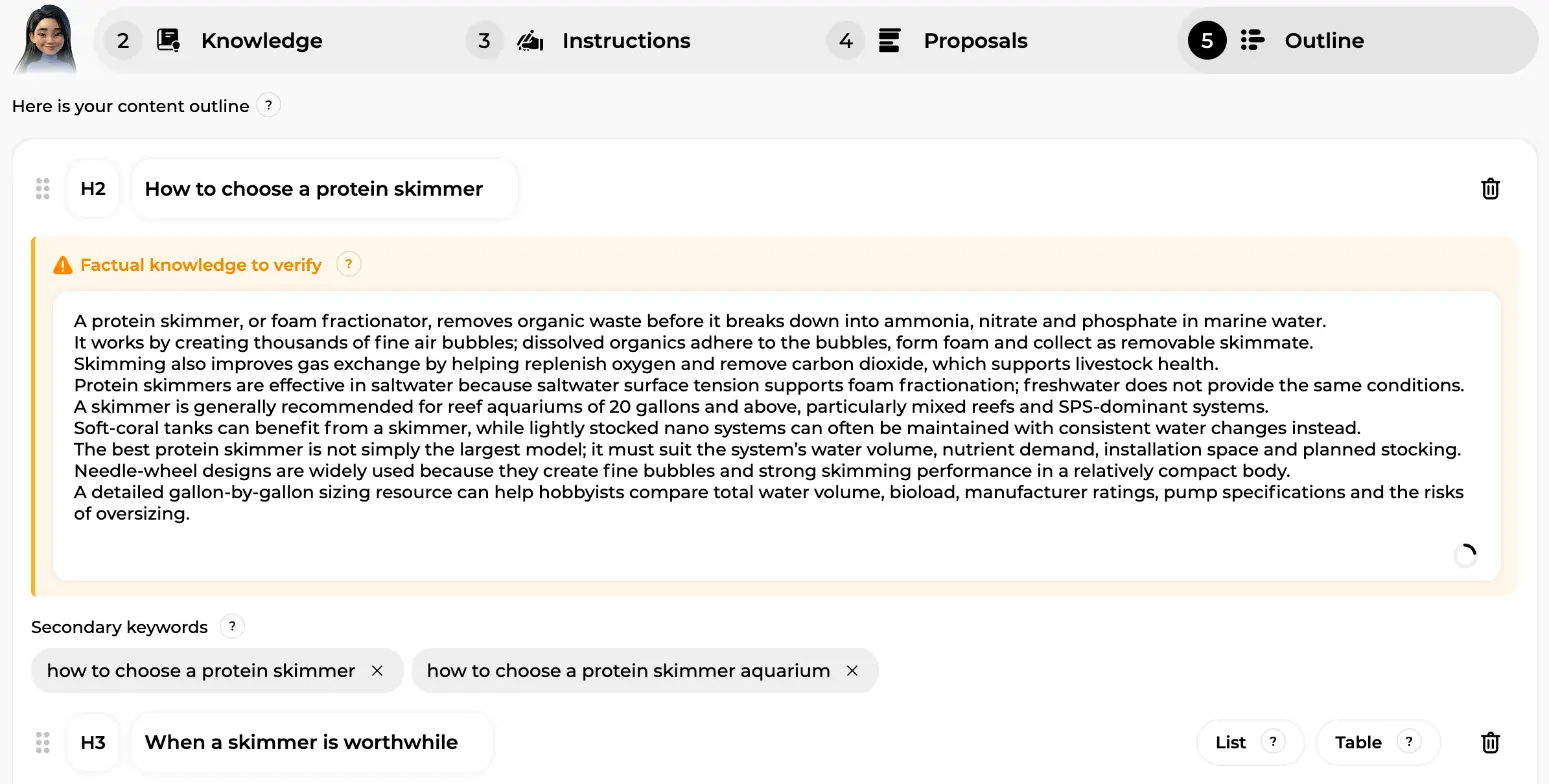
Sedestral puts the facts in front of you before they become paragraphs, when a correction costs five seconds instead of a rewrite. Most of the time you'll validate the outline as is.
Step 6, Writing: the seven phases
Click to generate and Alya takes over for four to seven minutes. The waiting screen is a checklist of what she is actually doing: search intent interpretation, target audience and tone definition, writing objective, secondary keywords selection, structure writing, inserting suitable images, first draft writing, proofreading and correction.
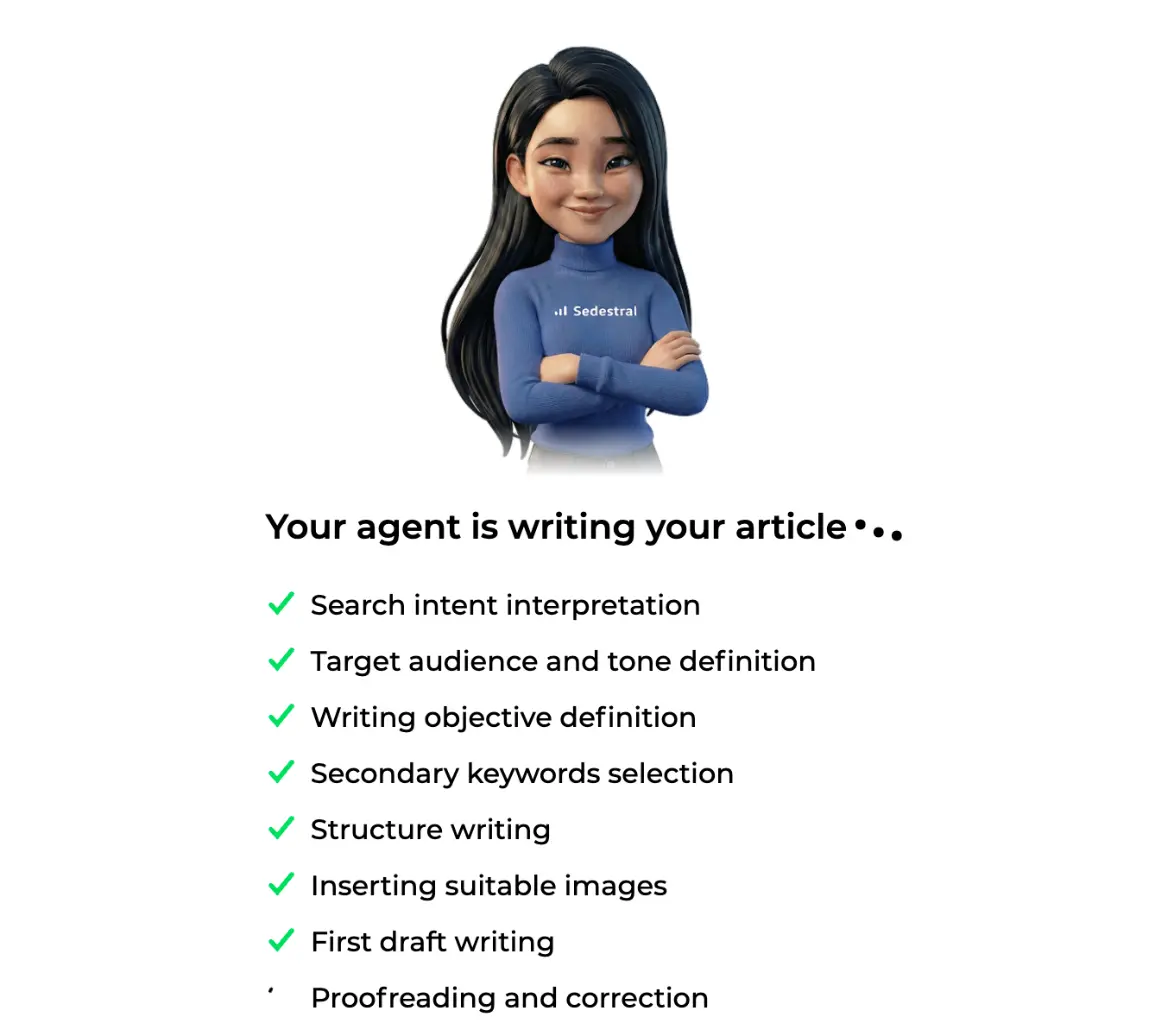
Behind that list runs a quality control loop. Once the first draft exists, an AI splits it into sections, several other models critique each one (empty sentences, style drift, repetition, unsupported claims), another model fixes what was flagged, and the cycle repeats three times. Result: your style respected more closely, fewer filler sentences, fewer mistakes. You only see the version that survived the reviews, with the semantic terms, internal links, FAQ, images and graphic elements already in place.
Then a second pass optimises the draft. On this screen you can see Optimizing in progress with the score gauge climbing: competitor analysis, search intent, analysing your site and products, then adding strategic and semantic keywords, applying competitors' key success factors, SEO best practices, best practices for AI, readability, text humanisation, final proofreading and a technical SEO check.
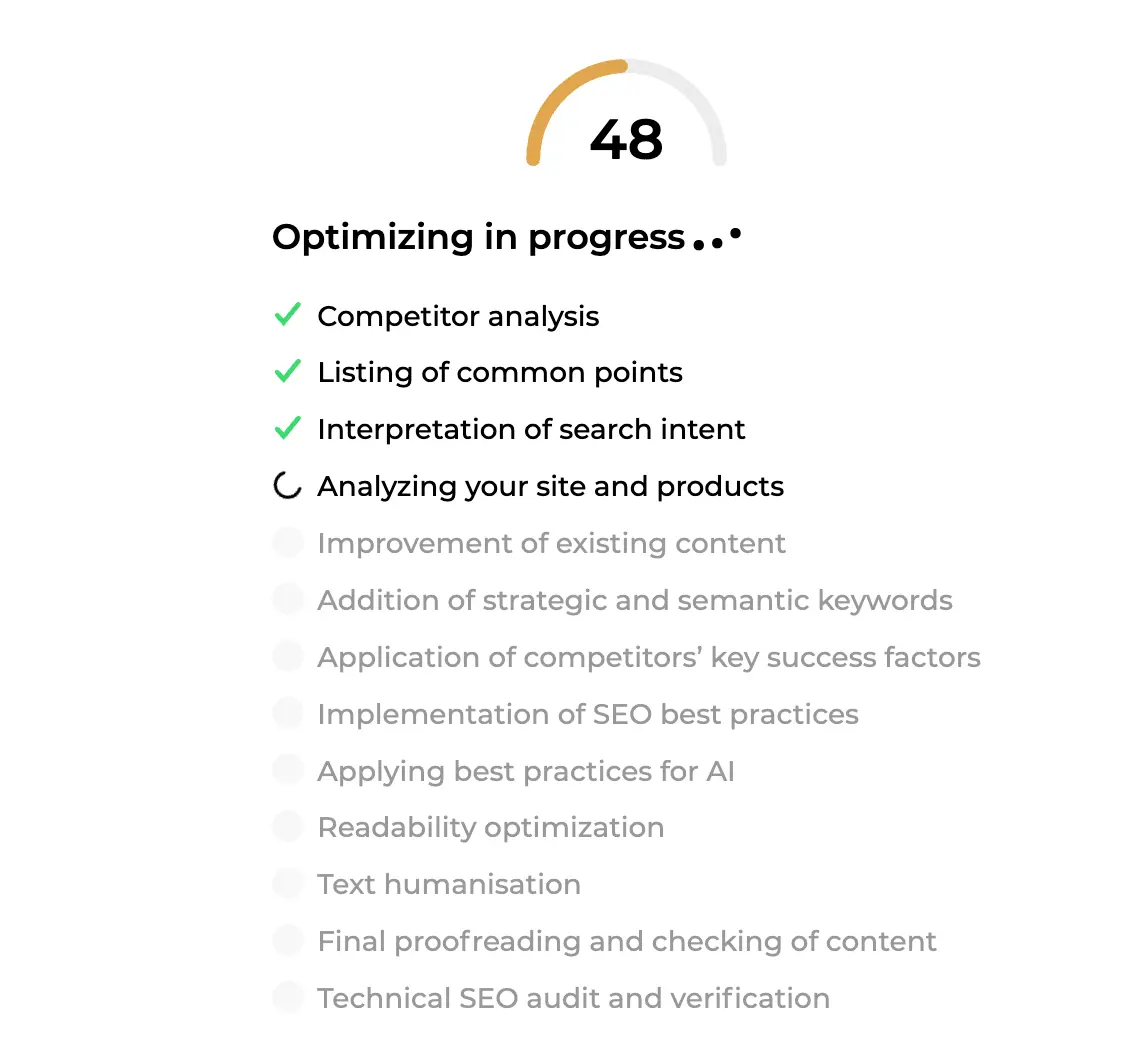
"Text humanisation" strips the tics that make machine text recognisable; "best practices for AI" applies the GEO findings from step 1. Neither needs anything from you.
The editor: your draft, with a live score
The article opens in the editor as a draft. Left: the text, a formatting bar (headings, lists, links, images, video, graphic elements, quotes) and margin labels showing each block's type. The SEO title and meta description sit above the body, editable in place. Top right, the button that matters: Export the article to PrestaShop, or WordPress, Shopify, Wix, Webflow, Joomla, Odoo depending on your connection, next to the version history and the cover image.
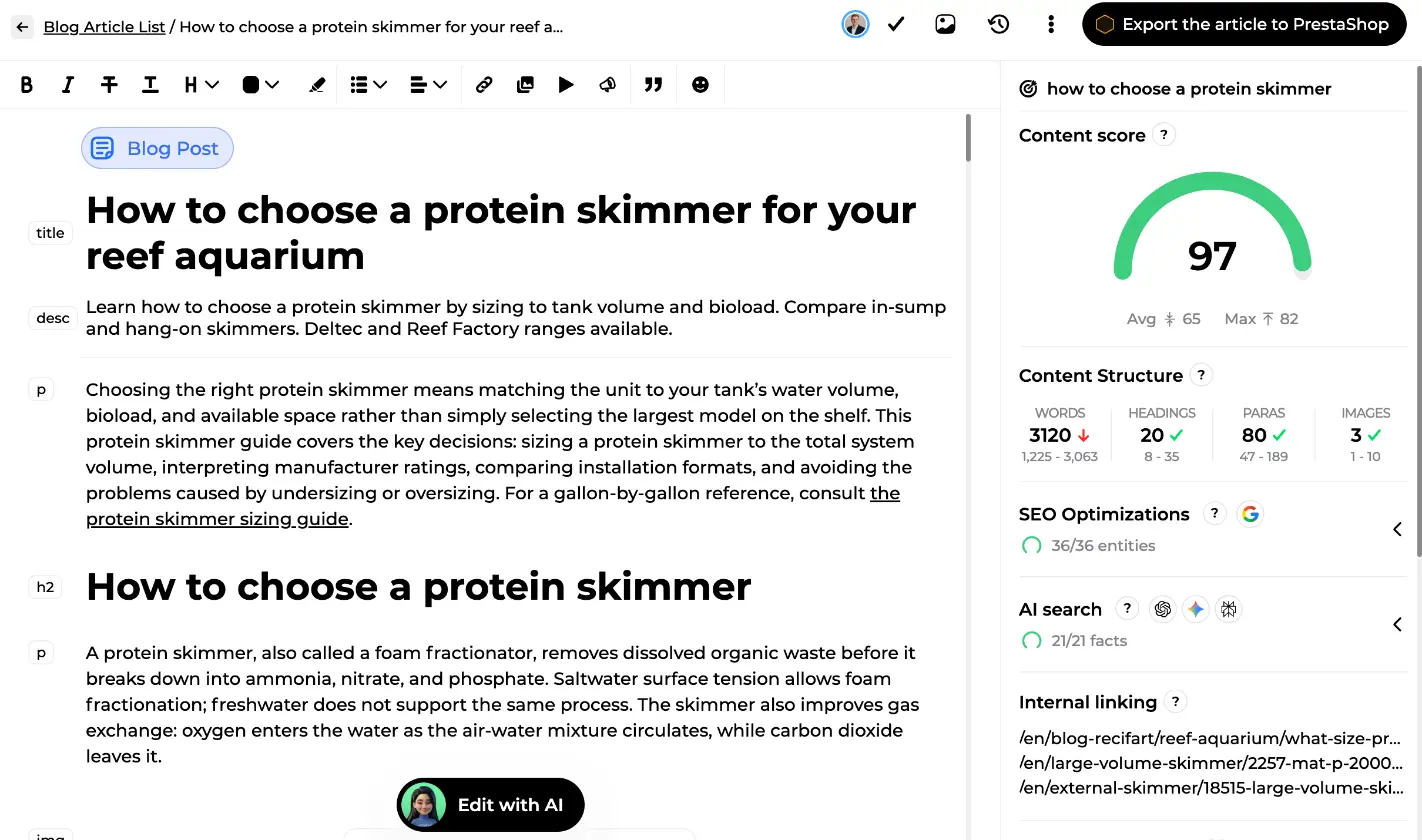
Right: the Content score panel. The fresh article scores 97, against a competitor average of 65 and a maximum of 82. Content Structure compares words, headings, paragraphs and images to the competitors' range (here words overshoot slightly, red arrow, the rest is green). Then two collapsible blocks, SEO Optimizations (36 of 36 entities placed) and AI search (21 of 21 facts integrated), and Internal linking, listing the pages the article points to.
The score recomputes as you type, from nine criteria weighted against the top 10: semantic terms in the body (the biggest share), in headings, in title and meta description, then heading count, paragraphs, images, word count, readability and stop-word coverage. Between 70 and 90 you're at the level of the pages that rank. The content optimisation guide goes term by term.
SEO Optimizations and search intent
Expand SEO Optimizations and you get the competitor favicons with an Adding strategic keywords button opening the full comparison table (position, title, content and structure scores, word count, authority). Below, Search intent: the detected types, here Informational and Commercial together, and a one-paragraph reading of what the searcher wants: guidance on the right skimmer for tank size, bioload, setup constraints, performance and budget.
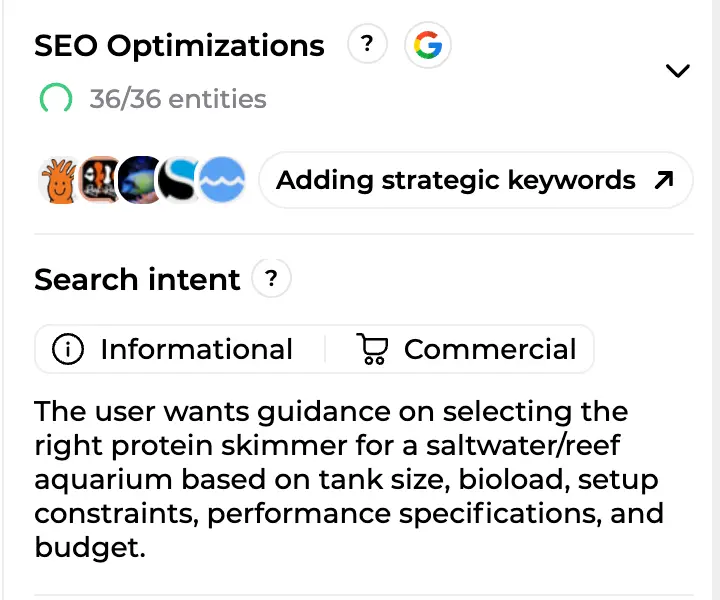
Further down: the semantic terms in three tabs (Content, Headings, Metadata), readability, stop words, the sources Alya used and the FAQ questions ready to copy. Under the gauge, an Optimize button reruns the optimisation pass on demand.
Edit with AI: change anything by asking
A paragraph too long, a section that should come earlier? Edit by hand if you like, the editor is a full WYSIWYG. Or click the floating Edit with AI pill at the bottom. A chat panel docks on the right with Alya (Rémi takes the seat when you optimise an existing page). Select a passage first and the pill becomes Edit selection: the agent stays inside those blocks, and the scope shows above the input.
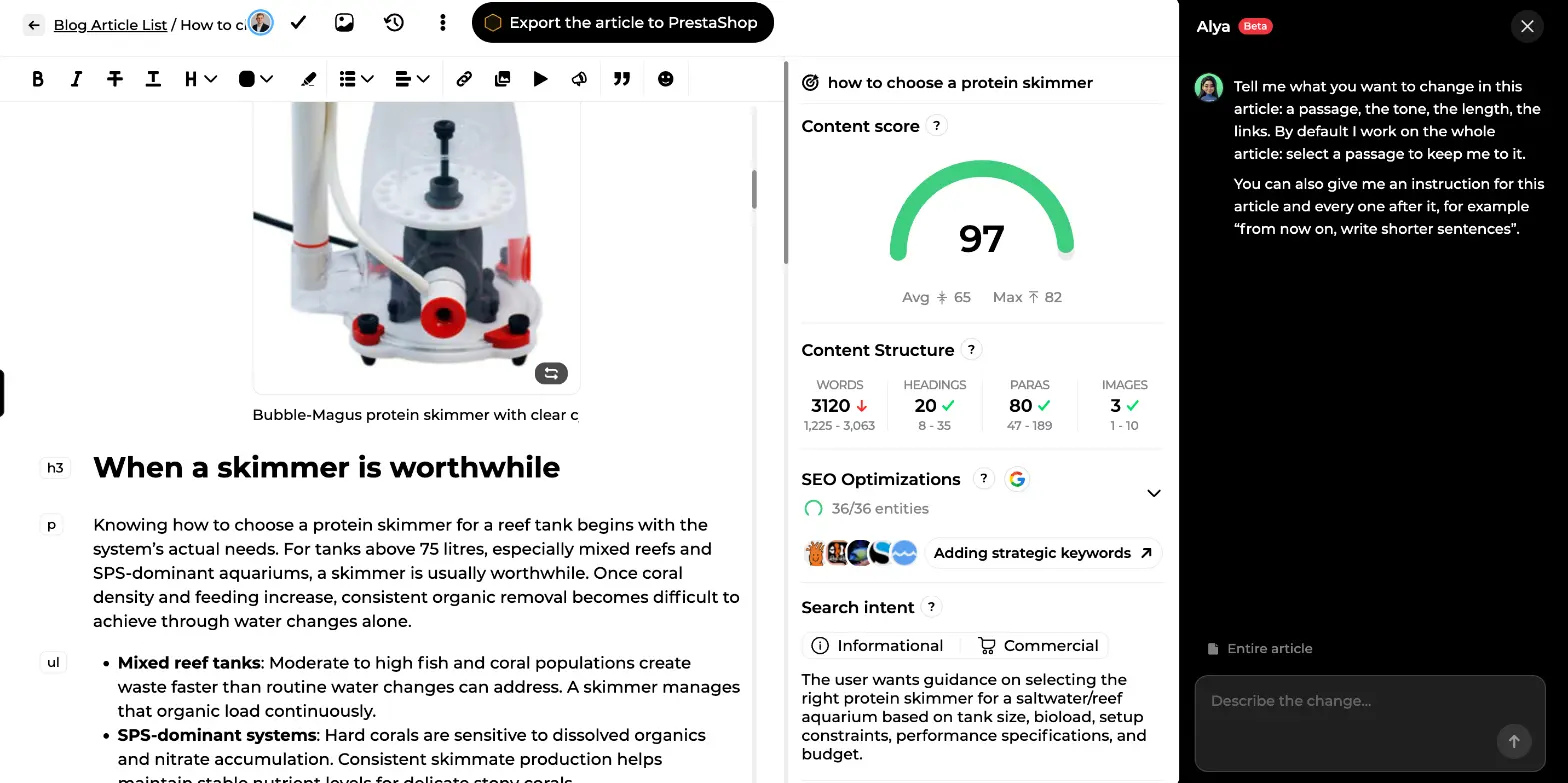
Ask what you'd ask a junior writer sitting next to you:
- Rewriting: "shorten the introduction", "adopt a more casual tone", "fix the typos".
- Structure: "swap sections 2 and 3", "add a three-question FAQ", "turn this list into a table".
- SEO and GEO: "insert the missing terms", "improve the content score", "add links to my other pages", "rewrite the meta description".
- Graphic elements: "add the tip box in the sizing section", "move the promo card to the bottom".
- Research: "check these numbers online" runs a real web search; "complete the delivery section from my knowledge base" draws on your documents. Unsourced figures are rejected.
After each request, a card sums up the changes. Click it for a word-by-word diff, additions in green, deletions in red, and undo the whole batch or one change at a time. Say "from now on, write shorter sentences" and Alya offers to save it as a permanent rule in your writing style. The chat uses no credits, and the version history keeps every state of the article anyway.
Scheduling and publishing to your CMS
Happy with the draft? Three ways out of the editor.
- Publish now: click Export the article to your CMS. Content, images, SEO title, meta description and structure are transferred and the article goes live at once; a site setting can send it as a CMS draft instead.
- Schedule: open the options menu (three dots), choose Schedule publication, pick a date and time up to six months ahead. The article locks in read-only, appears on the editorial calendar and is published to your CMS at the chosen moment, even if nobody is logged in. Cancel the schedule any time to edit again.
- Keep it as a draft: nothing leaves Sedestral, the score keeps updating, your team can review.
Every article lives in the Blog Article List. On this screen you can see the store's drafts sorted by last modified date, each with status, target keyword, author and content score.
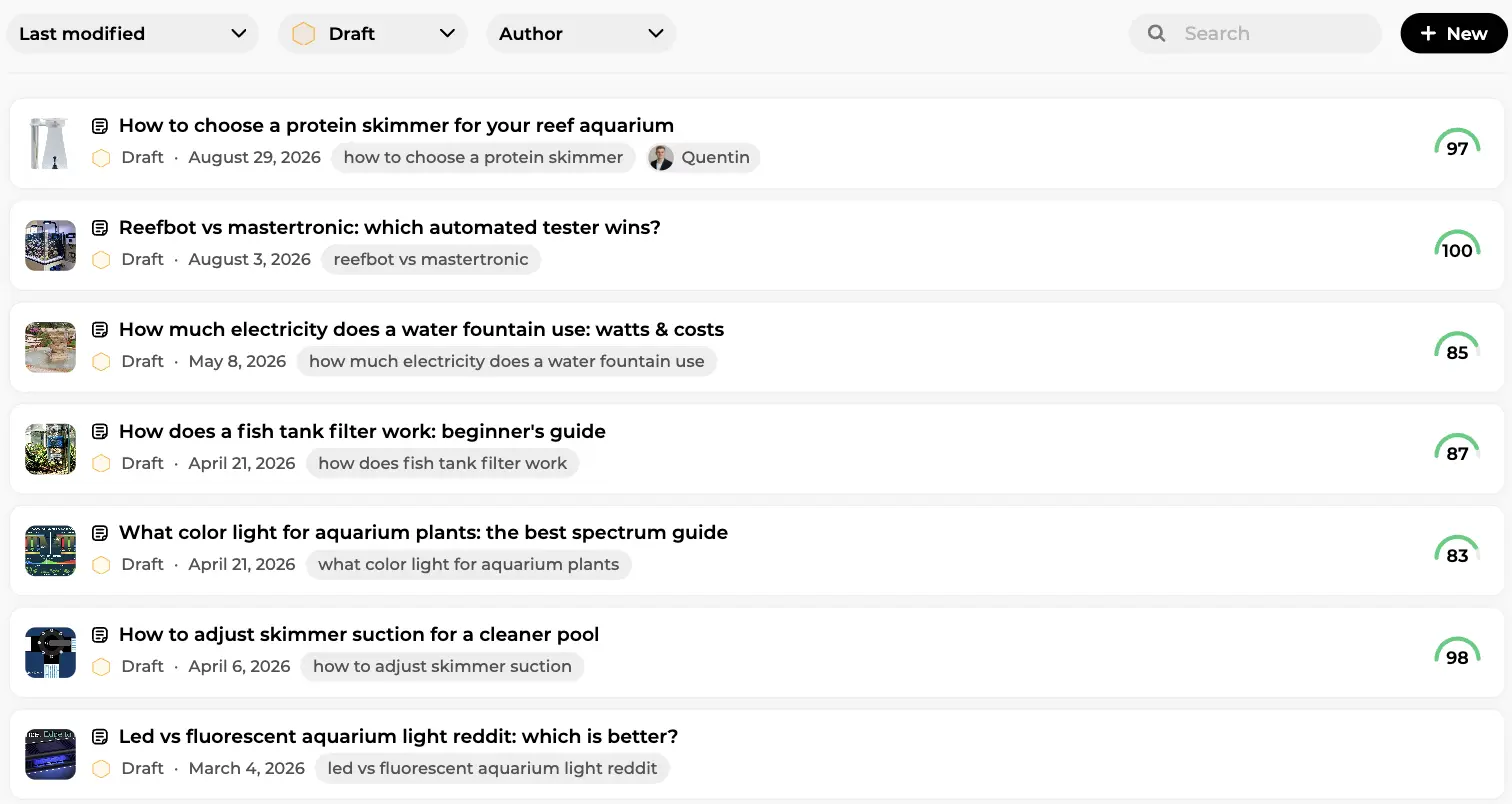
No connected CMS? Export as HTML. Once published, the article enters content tracking, where Rémi watches its clicks, impressions and position: see the SEO content audit guide.
From one article to a publishing rhythm
Take the manual route for your first articles: you'll see how Alya works and tune your brand context along the way. Once you trust the output, the autopilot runs the same pipeline on its own. Choose who picks the dates (Alya, or you in the calendar), tick the days of the week, every week or chosen weeks, and the number of articles per day.
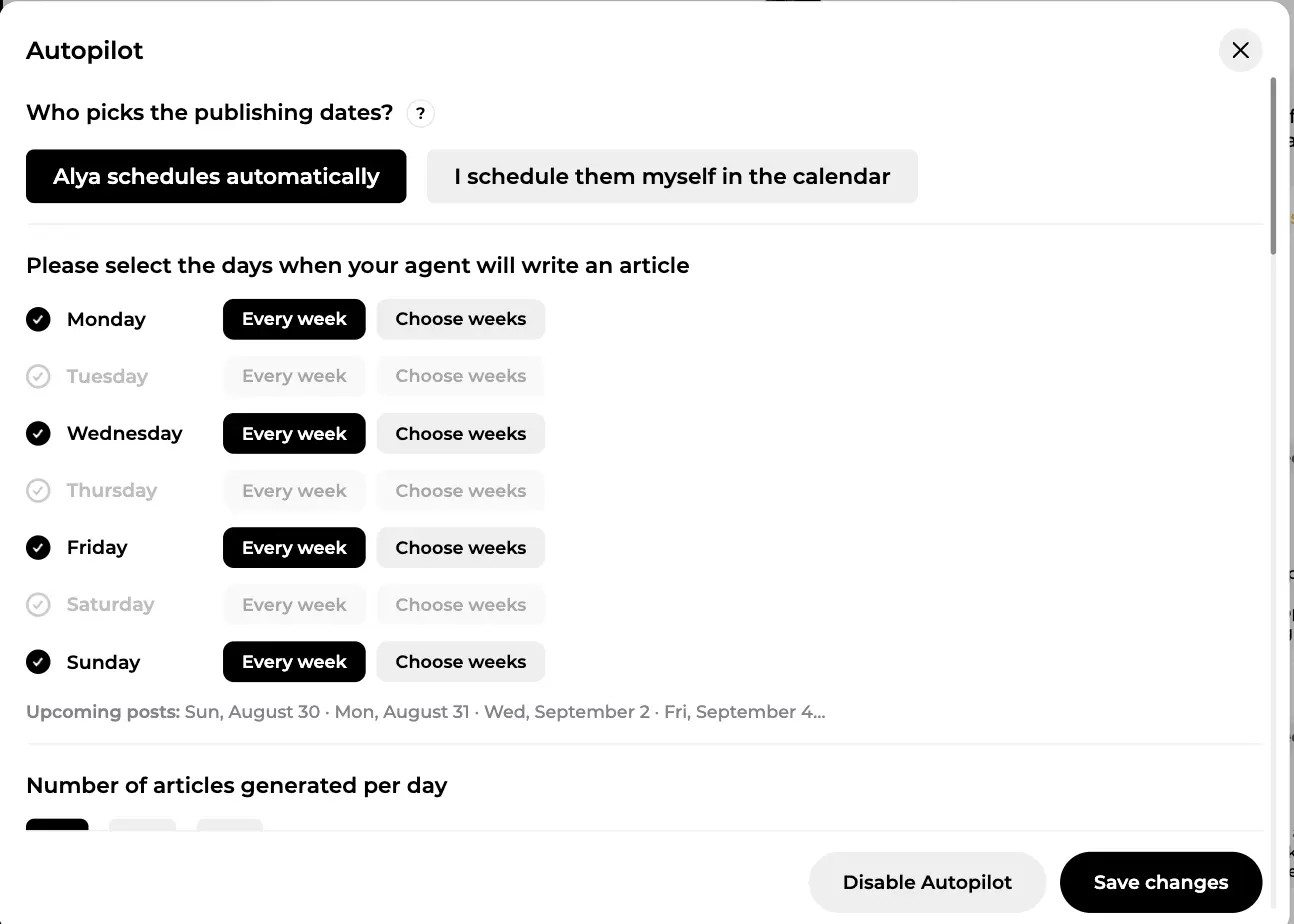
Autopilot articles come from your topics, go through the same phases, and land as scheduled articles you can still open, edit and reschedule. Validation never disappears unless you decide it should.
Create your account and write your first article
Does Google accept AI-written articles?
Let's not dodge it. Google has said it plainly: it doesn't penalise content because AI wrote it, it penalises thin, generic, duplicated or misleading content, whoever wrote it. That is why the pipeline is built this way: competitor analysis so the article is complete, your knowledge and instructions so it says things only you can say, facts shown before writing, a critique loop during, a diff you can undo after. And you, reading the draft before it goes live. You can also set how AI use is disclosed on your site, in the Configuration tab of your site settings.
In short
- One article starts from one keyword. Alya analyses the Google top 10 and the AI engines (GEO) in under two minutes.
- You choose sources, images, length, FAQ and graphic elements, brief the agent, pick the angle and validate the outline, facts included.
- Writing runs through seven phases with a quality control loop, then an optimisation pass, and lands as a draft with a live content score.
- Edit by hand or by chatting with Alya: every change is diffed and reversible, no credits used.
- Publish to your CMS in one click, schedule up to six months ahead, or hand the rhythm to the autopilot.
Let AI Handle Your Content Publishing
Alya researches keywords, writes and publishes content directly to your CMS, WordPress, Shopify, Wix and more, on autopilot.