This complete guide walks you through every technical SEO fix that matters if you want to boost your organic rankings and make your website more visible on search engines like Google.
What is technical SEO?
Technical SEO covers all the adjustments you make to the technical structure of a website so that search engines can crawl it and understand it more easily. It's a core part of modern SEO, and it focuses mainly on:
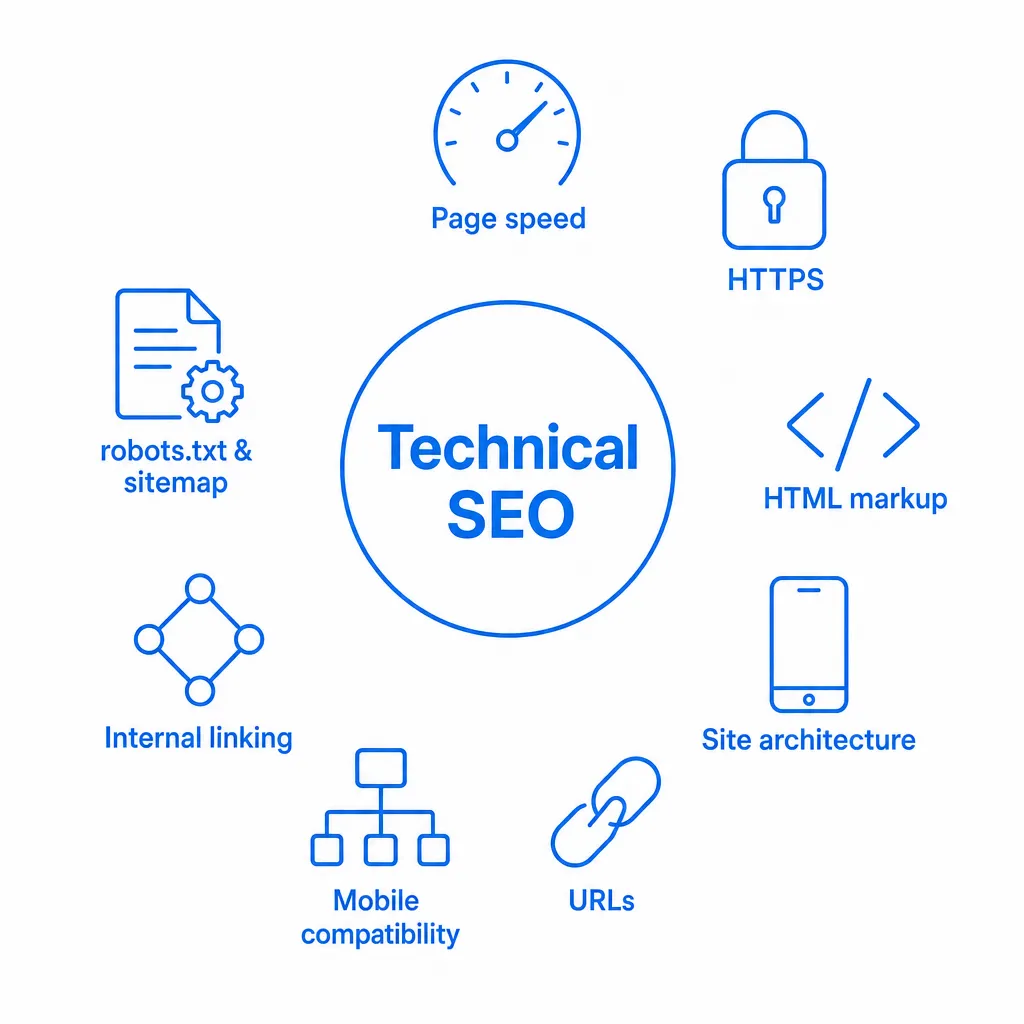
- Fast load times on every page,
- The secure HTTPS protocol,
- Correctly configured robots.txt and sitemap.xml files,
- Smart use of HTML tags and semantic markup,
- A consistent URL structure with duplicate content under control,
- A clear site architecture and solid internal linking,
- A flawless mobile version and a great user experience,
- Properly implemented structured data (Schema.org).
Why is it essential for rankings?
Some sites look polished and work perfectly for visitors, yet they're unreadable for Google's algorithms. Why? Because search engines don't see a site the way a human does. They parse its HTML code, evaluate its structure, interpret its tags and measure its technical performance.
Everything you need to know about the essential HTML tags for SEO
👉 A beautiful design is never enough. Even with a perfect interface, if your site has technical gaps (broken markup, blocked resources, poorly optimised JavaScript, a confusing architecture...), it won't be crawled or indexed properly. The direct result: you're practically absent from the search results, or ranking terribly.
A basic principle: your site has to adapt to search engines
Here's the thing to understand: Google and its competitors will never make an effort to interpret your site. Only sites that follow web standards (semantic HTML, accessibility, speed, responsive design...) get the best treatment. These rules are public and well documented. Ignore them and your site becomes invisible to crawlers, which seriously hurts its visibility in the search results.
Running a technical SEO audit: where to start?
A technical SEO audit uncovers the hidden problems that hold back your site's visibility in search engines. It shines a light on the technical issues that drag your rankings down, even when your content looks good.
This in-depth check covers several key areas:
- Performance and page speed (including Core Web Vitals),
- The overall architecture and organisation of the site,
- Any HTML errors, indexing problems or duplicate content,
- The strategy and implementation of internal and external links,
- HTTPS configuration and security settings,
- Optimisation of your SEO tags (titles, meta descriptions, heading structure...),
- Your indexing status on Google and how accessible the site is to crawlers.
⚠️ You can't fix what you can't see. The whole point of an audit is to detect the invisible technical problems that block indexing and push your rankings down.
Here's our selection of professional tools for running a complete technical SEO audit, with their main features:
Sedestral: Structure Audit
https://sedestral.com/en/structure-audit
How it works
Sedestral runs a deep scan of your site: it inspects every page the way Google would, analyses the HTML code, checks the tag hierarchy, maps internal links, spots redirects and evaluates your sitemaps. Its AI lets you:
- Analyse the HTML structure (H1 to H6 headings, meta descriptions, alt attributes, structured data) and flag errors or omissions.
- Evaluate internal linking: click depth, orphan pages, redirect chains, broken links, so that your important pages are reachable in under 3 clicks.
- Check URL optimisation: length, keyword usage, naming conventions, canonical tags, pagination handling and UTM parameters.
- Verify the critical files: robots.txt, sitemap.xml, noindex/nofollow tags, to avoid indexing headaches.
- Detect major technical anomalies: redirect loops, server errors, duplicate content caused by http/https or www/non-www versions.
The final report ranks issues by severity (critical, important, minor) and suggests concrete fixes for every anomaly it finds.
Key strengths
- A complete view of your architecture: see at a glance whether your site is well structured or tangled up in counterproductive links.
- Smart prioritisation: the issues that hurt your SEO the most are automatically pushed to the top, so you focus on what's actually blocking Google.
- Progress tracking: regular scans produce charts showing how the error count drops, so you can measure the impact of your fixes.
In short, Sedestral's structure audit works like a dedicated sat nav for your website: it reveals the current architecture, flags the routes that are too convoluted and maps out the ideal path to guide Google... and your visitors.
Learn more about the Sedestral structure audit
Google Search Console
https://search.google.com/search-console
What to remember:
This free Google tool shows you how crawlers see your site. It alerts you to technical problems, poorly indexed pages and security issues, and it assesses loading performance. It also tracks Core Web Vitals and analyses the queries that drive your traffic.
Why it's essential:
It's the only way to know what Google sees, or ignores, on your site. You understand how the engine interprets your pages and you spot the ones that could improve their rankings.
Screaming Frog SEO Spider
https://www.screamingfrog.co.uk/seo-spider/
How it works
This desktop app is simple to use: enter a URL and it crawls every page the way Google would. It then collects all the important data: page titles, meta descriptions, links (internal and external), images, errors, file sizes, canonical tags, structured data...
Its main strengths
- Fast detection of dead links or pages with no title - problems that often go unnoticed on large sites
- Export to Excel/CSV so the whole team can work on the results
- A free version that crawls 500 URLs (plenty for smaller sites)
- Site tree visualisation (depth, architecture) to optimise crawling and improve indexing
PageSpeed Insights (PSI)
How it works
Enter the URL of a page: Google instantly scores its performance on mobile and desktop. You get two kinds of results:
- Lab data (simulated tests run in a controlled environment)
- Field data (collected from real Chrome users)
You get a score out of 100 with a colour code (green/amber/red), calculated from lab metrics (FCP, Speed Index, LCP, Total Blocking Time and CLS); the Core Web Vitals field data is shown separately.
Why it's useful
- You receive a prioritised list that highlights the critical issues: oversized images, slow server response times, JavaScript that delays rendering, and plenty more.
- The Core Web Vitals metrics (LCP, INP, CLS) are included: Google uses them as a ranking signal.
- Every recommendation is clickable and leads to explanatory resources written to be understood without a technical background.
- You can analyse your competitors' pages too, which helps you gauge their strategy and adjust your own optimisation techniques.
Ahrefs: Site Audit
How it works (in short)
Once your site is connected to Ahrefs (nothing to install), the tool runs scheduled crawls. It inspects inbound and outbound links, meta tags, duplicate content, page speed, security, site architecture, orphan pages, backlinks and more. You then get a detailed report.
Strengths
- Issues are ranked, so you know which fixes to tackle first to improve your rankings.
- Charts let you track performance over time, ideal for checking whether your fixes actually worked.
- Email alerts warn you when new errors appear or traffic drops.
- Integration with the other Ahrefs tools (Backlinks, Keywords) gives you the full picture without switching platforms.
W3C Validator
How it works (in short)
Just enter your site's URL and the tool checks your HTML/CSS against W3C standards. The results list every error and warning with the corresponding line of code.
Main strengths
- Valid code reduces the risk of rendering bugs across browsers and mobile devices.
- Search engines parse clean code more reliably, which helps indexing and relevance.
- Fixing these errors improves accessibility, especially for screen readers, and lifts the user experience.
- It's free and needs no sign-up, perfect for a quick check after you've made changes.
Lighthouse mobile audit (Google)
https://developer.chrome.com/docs/lighthouse/overview
How it works (in short)
Google retired its standalone Mobile-Friendly Test in December 2023. Today the go-to replacement is Lighthouse, built into Chrome DevTools and PageSpeed Insights: run it in mobile mode and it checks whether the page works on a smartphone (viewport, tap target size, text legibility, content layout, etc.).
Key benefits
- Google indexes the mobile version of your site first: a poor mobile experience can directly hurt your rankings.
- The report pinpoints the specific issues to fix: missing viewport, undersized fonts, content overflowing the screen, and so on.
- You can test any page, including ones still in development, on a staging URL.
- Lighthouse runs from the command line and via API, handy for automating your mobile performance checks.
Security Headers
How does it work?
Simply enter your domain: the tool analyses the HTTP headers sent by your server (such as Strict-Transport-Security or X-Frame-Options) and gives you a grade from A+ to F.
Why does it matter?
- These headers protect your visitors from attacks, enforce HTTPS and block a range of threats.
- A good grade reassures users and protects your site; HTTPS is a lightweight Google signal, but security headers themselves are not listed among the SEO page experience factors.
- For every missing header, you get the exact code to add on your server, whatever your environment.
- It's an essential check after an HTTPS migration to confirm instantly that every security setting is in place.
Your technical SEO "first aid kit"
Combined, these eight tools give you a complete technical audit:
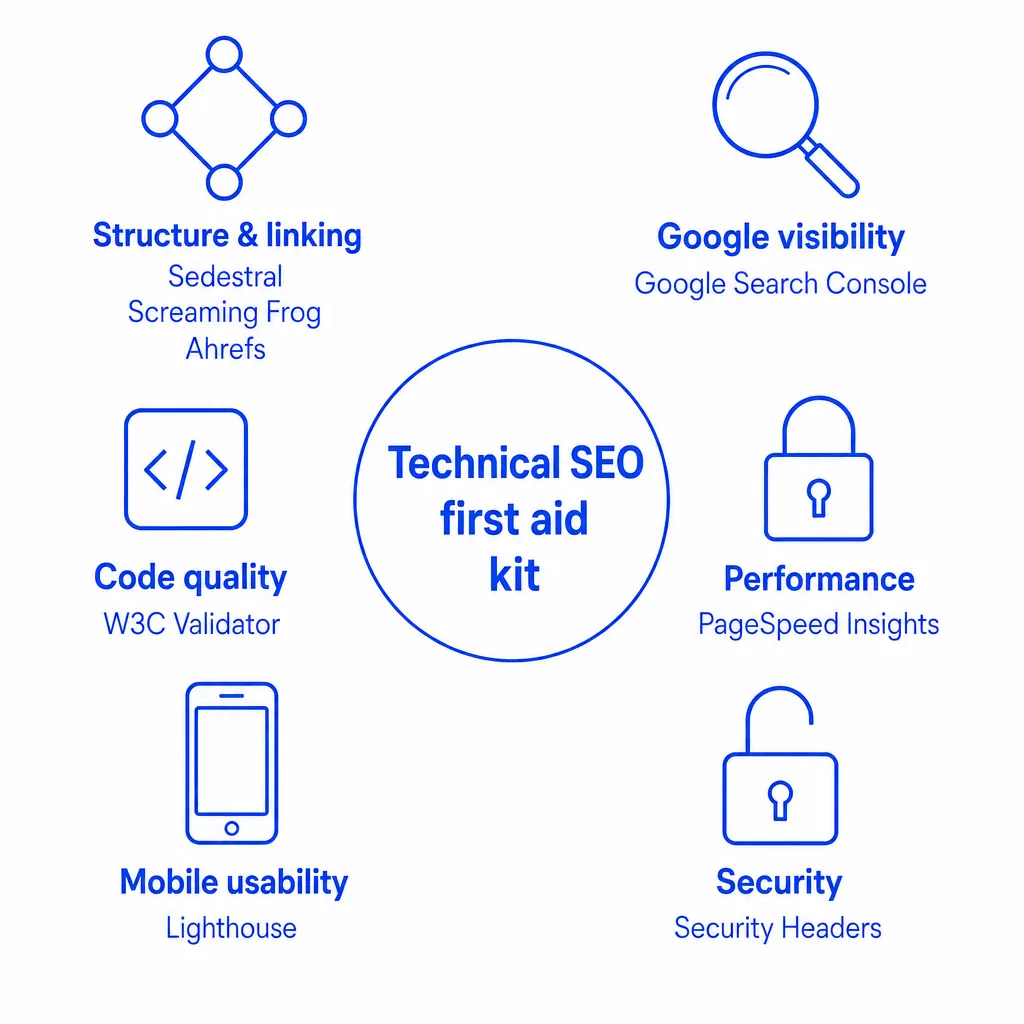
| Need | Key tool | Benefits at a glance |
| Structure and internal linking | Sedestral, Screaming Frog, Ahrefs Site Audit | Detect orphan pages, problematic redirects, excessive click depth and missing tags. |
| Visibility on Google | Google Search Console | Check indexing by Google, fix crawl issues and boost performance. |
| Performance | PageSpeed Insights | Analyse and optimise page speed (Core Web Vitals, load times). |
| Code quality | W3C Validator | Clean up HTML/CSS errors for a more stable, accessible site. |
| Mobile usability | Lighthouse | Test how well pages work on smartphones (Google's mobile-first indexing). |
| Security | Security Headers | Check HTTPS and CSP headers to protect users (and safeguard your SEO). |
The 4 pillars of a solid SEO strategy:
- Technical audit to identify what's blocking you (with Sedestral/Screaming Frog).
- Indexing check via Search Console to make sure Google is actually picking up your pages.
- Mobile and performance optimisation to deliver a smooth user experience.
- Clean, secure code to guarantee technical stability.
This method gives you the full picture: every issue is ranked by priority, and every fix delivers tangible results, whether in speed, structure or security. The outcome? A site Google understands better and visitors enjoy more, the two ingredients that lift your visibility in the search results.
Apply this complete SEO strategy and you maximise the chances of every page on your site performing and ranking well. A good SEO strategy always combines technical work and content for results that last.
Watch Out
Publishing Content Before Fixing Technical Errors
Creating new pages on a site with unresolved crawl or indexing issues is unlikely to improve your rankings, use a technical audit tool like Nox to clear blockers before scaling your content output.
HTML structure and essential tags: the foundation of SEO
Why H1, H2, title tag and meta description matter
For solid SEO, HTML structure plays a key role. Tags like H1, H2, title and meta description act as signposts - they help visitors grasp the content while letting the algorithms understand it better.
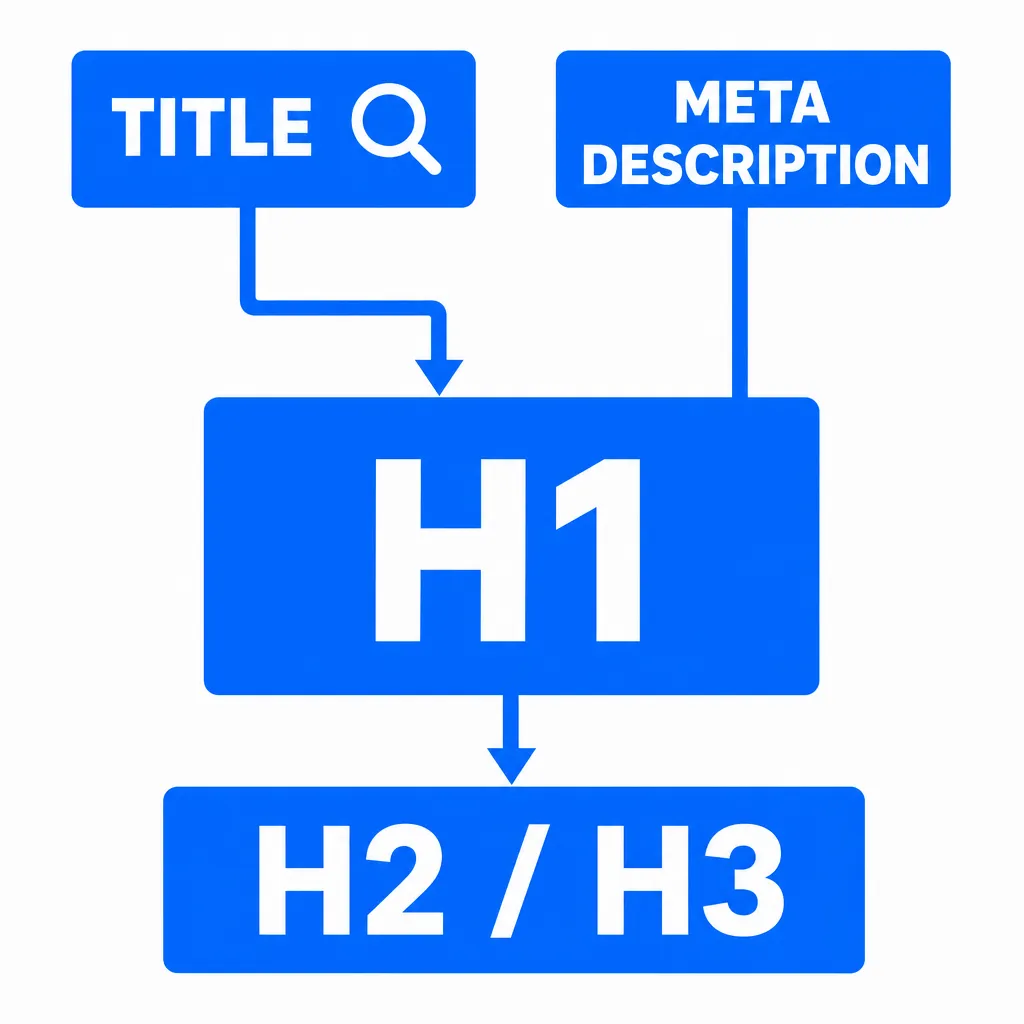
- The H1 tag: essential on every page, it must be unique and sum up the main topic perfectly. It's the first thing search engines look at.
- H2 and H3 tags: they structure the information logically, making it easier to read for humans and crawlers alike.
- The title tag: this first point of contact in the search results has to spark interest (keep it concise; Google sets no official character limit) while naturally including your target keywords.
- The meta description: it doesn't directly influence rankings, but it plays a decisive role in click-through rate by giving a convincing preview.
A well-crafted HTML structure, optionally topped up with Schema.org markup, significantly improves topical relevance and strengthens your SEO performance. These basics are the essential foundation of any effective on-page optimisation strategy.
Robots, indexing and protocols: mastering the technical foundations
The robots.txt file: a guide for search engines
The robots.txt file is a key element for telling crawlers which parts of your website they're allowed to explore. A bad configuration can block access to important pages, which drags down your organic rankings. Setting it up deserves real care, especially for pages that add nothing to your SEO.
Among the best practices: allow access to the CSS and JavaScript files search engines need to render your content properly. And don't forget to reference your sitemap.xml in it to make indexing easier.
HTTPS: a ranking factor you can't skip
HTTPS has become the standard for security on the web. By encrypting exchanges between your visitors and your server, it's now treated by Google as a positive signal for your rankings. Beyond SEO, it builds user trust, which can raise your conversion rates and lower your bounce rate.
Implementing it requires 301 redirects from the old HTTP version and a thorough update of all your internal links to preserve your authority.
Indexing and the role of search algorithms
Indexing is the moment a page is added to a search engine's database before it can appear in the results. The algorithms then assess that page against a range of criteria, such as structure, keywords, page speed, relevance, security, user experience and backlink quality, to decide where it ranks.
A clear architecture, optimised markup, excellent page speed and HTTPS all contribute to efficient indexing and better rankings. These technical aspects need to be backed by quality content and a solid SEO strategy to fully meet the demands of organic search.
Learn more about Google indexing
Conclusion: optimising the technical SEO of your pages and your site
This guide shows just how central technical optimisation is to successful organic rankings. Your content remains the backbone of your SEO, but it can only deliver with proper markup and a web architecture that's fast, secure and readable by search engines.
Running a technical SEO audit is the key step for finding the invisible blockers that limit a website's visibility. With SEO tools like Screaming Frog, Semrush or Google Search Console, you can analyse and fix the problems affecting indexing: poorly optimised headings (H1, H2 tags), dead links, URL errors, incorrect HTML tags, slow loading, missing HTTPS or misconfigured directives in the robots.txt file.
For rankings that last, build a solid SEO strategy that satisfies both crawlers and the user experience. Sites with effective SEO share these strengths:
- A clear structure (logical HTML hierarchy, smart internal linking, intuitive navigation)
- Impeccable performance (loading in under 3 seconds, optimised Core Web Vitals)
- Strong security (HTTPS enabled, protective headers properly configured)
- Multi-device compatibility (mobile-first approach, responsive design)
- Quality content with flawless markup (punchy titles, polished meta descriptions, structured data)
- Excellent indexability thanks to the sitemap.xml and careful management of internal links
📌 Contrary to popular belief, SEO isn't just about adding keywords or mastering SEO copywriting. It rests first and foremost on solid technical foundations that let your content be fully understood, evaluated and displayed in the search results. It's this balance between content, structure and performance that builds SEO that works for the long haul.
Put these best practices to work with the right SEO tools and you create the ideal conditions to boost a site's position in the Google results. More than a better ranking, it's your whole visibility and organic traffic that will grow for the long term thanks to these proven technical SEO techniques.

Rank Higher Without the Manual Work
From technical audits with Nox to competitor monitoring with Marc, Sedestral's AI agents cover every layer of SEO so your team doesn't have to.