You've built a beautiful website, but as far as search engines are concerned, it doesn't exist? You keep hearing about "SEO", "keywords" and "backlinks", and the whole thing feels like a mountain you'll never climb? Take a breath. You're in the right place.
This isn't just another article listing technical tricks. It's your step-by-step roadmap for turning your site into a magnet for qualified traffic. We're going to demystify SEO together, in plain English, with concrete examples and a clear action plan.
Ready to give your site the visibility it deserves? Let's get started.
The basics: what is SEO and why does it matter so much?
Before we get our hands dirty, let's be clear about what we're actually doing.
SEO (Search Engine Optimization) is the art and science of optimising your site so that search engines like Google can understand it, rate it highly and, as a result, rank it well.
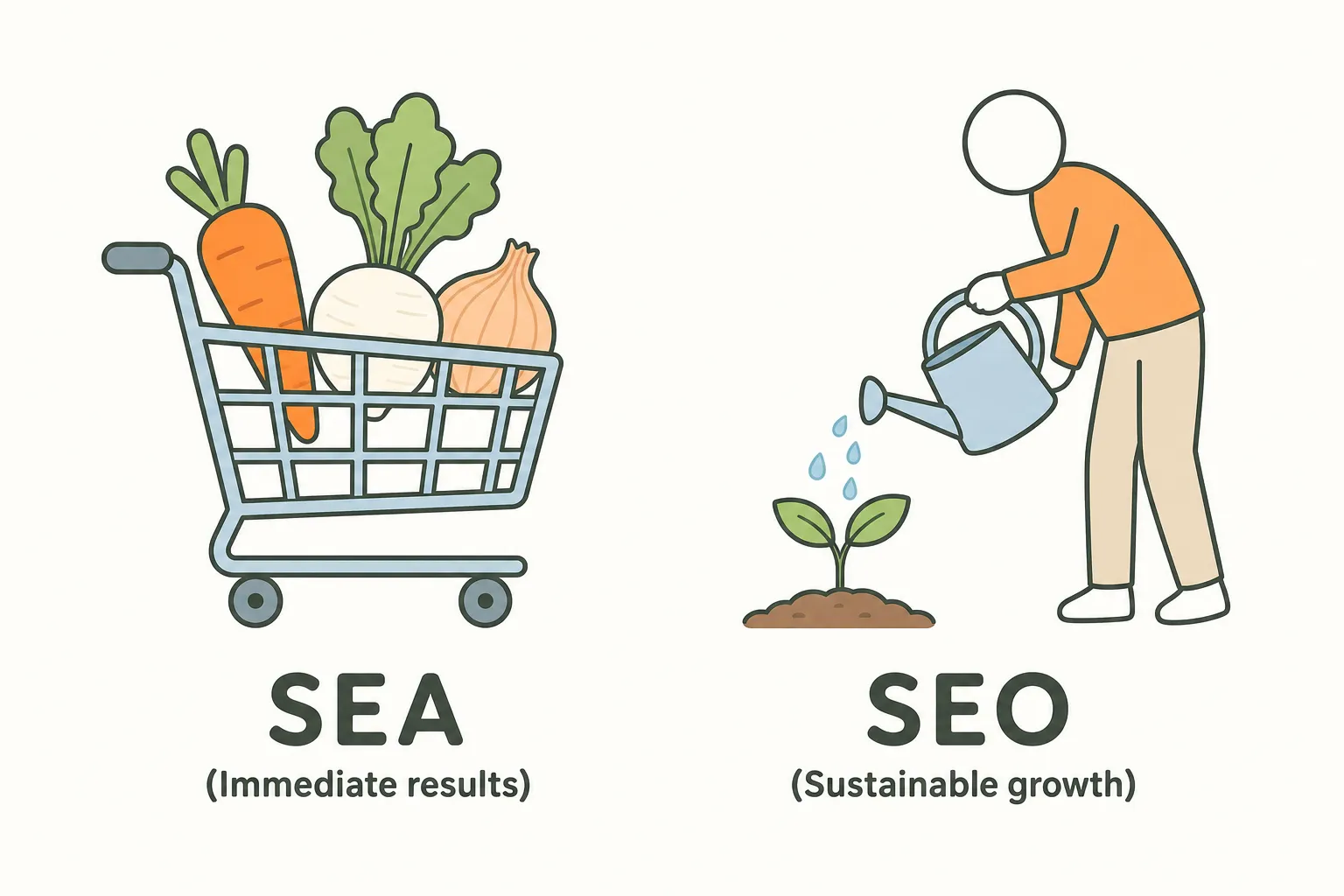
How is it different from paid search? Picture a vegetable garden.
- Paid search (PPC, or SEA in some markets) is like buying your vegetables at the supermarket. You pay (bidding on keywords, Google Ads campaigns) and you get results immediately. But the moment you stop paying, the shelf is empty.
- SEO is planting your own seeds. It takes time, patience and work (3 to 6 months on average before you see meaningful results), but once your garden starts producing, you harvest free, sustainable traffic for years.
Why should it be your top priority? One number says it all: Backlinko's analysis of 4 million Google results found that only 0.63% of searchers clicked a result on the second page. If you're not on page one, for most people you simply don't exist. Good SEO doesn't just bring traffic, it builds your credibility and your authority. It's the best long-term investment you can make in your online visibility.
Step 1: getting Google to understand your site (crawling and indexing)
Before Google can rank your pages, it has to know they exist and understand what they're about. That's the crawling and indexing stage.
How does Google crawl your site?
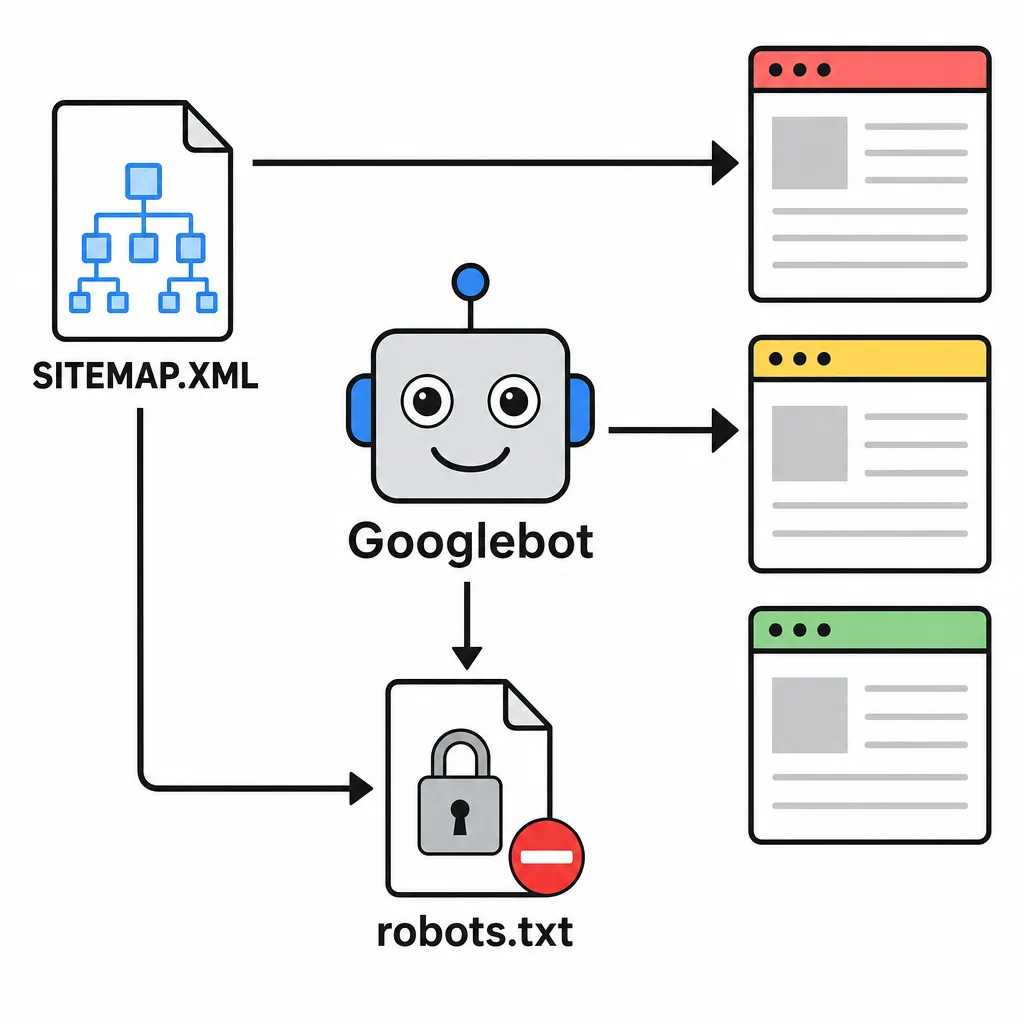
Imagine a fleet of explorer robots (the "Googlebots") roaming the gigantic library that is the Internet, 24/7. For your book (your website) to be added to the library (Google's index), those robots need to be able to get in, read every page and file it under the right category.
Your architect's blueprint: the sitemap.xml
The sitemap.xml is quite literally the floor plan of your site that you hand over to Google. It lists every important URL you want indexed. It's the surest way of saying: "Hey Google, here are all my important pages, don't miss any of them!"
- How do you do it? Most CMS platforms (WordPress, Shopify, etc.) generate a sitemap automatically. All you have to do is submit its URL (usually
yoursite.com/sitemap.xml) through Google Search Console, the free, must-have tool for every site owner.
Your nightclub bouncer: the robots.txt file
This little text file works like a doorman. It gives the robots their instructions: "You can come in and scan these files (CSS, JS) so you understand the site properly, but stay out of that area (the admin area, order confirmation pages, etc.), it's private." A badly configured robots.txt can make your entire site invisible, which tells you just how important it is!
Step 2: content, the heart of your strategy
Content is the answer you give to the user's search query. If that answer is excellent and matches what people are actually searching for, Google will reward you.
Finding the right keywords: reading your customers' minds
Creating content without keyword research is like opening a shop without knowing what people want to buy.
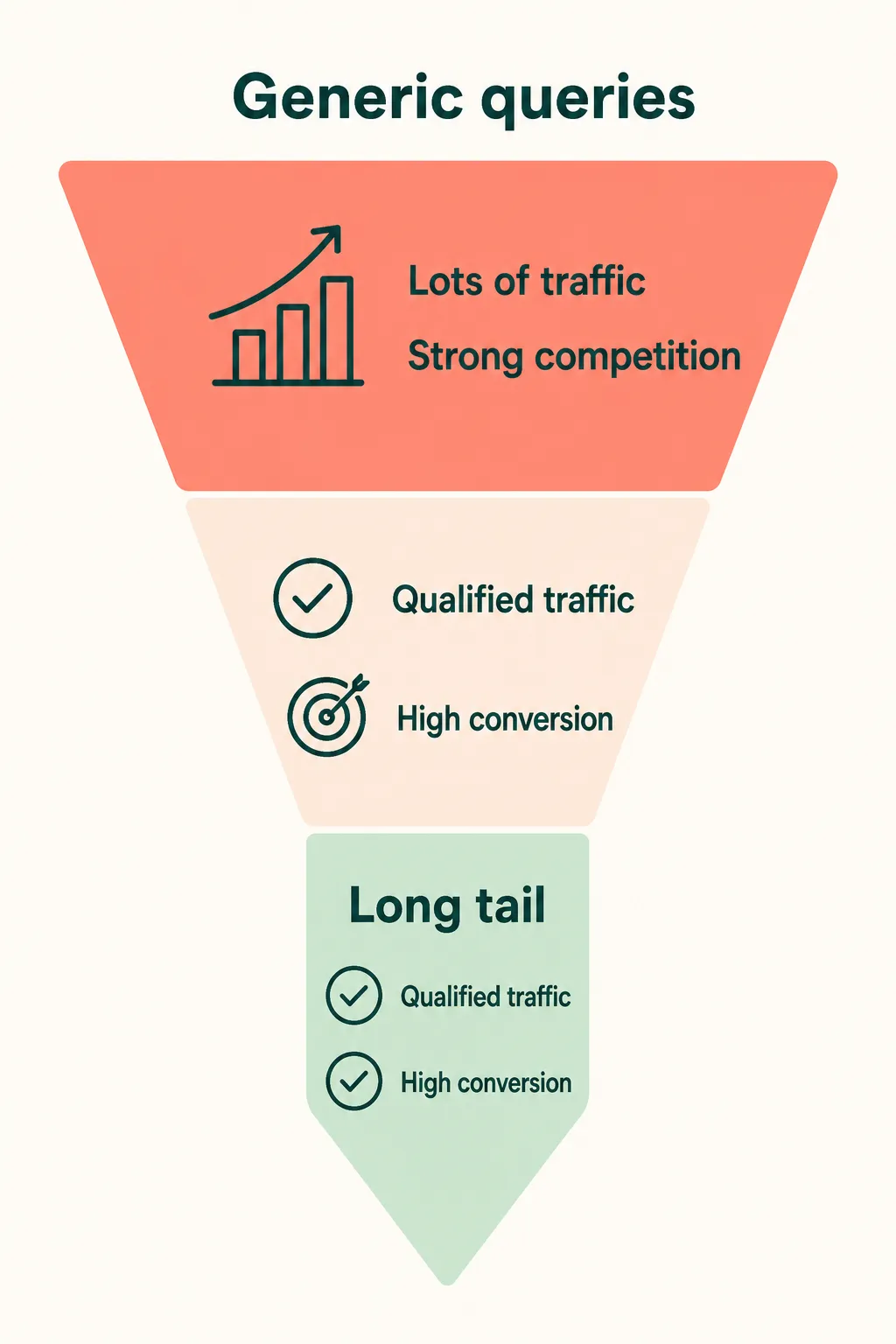
- Generic queries: ("men's shoes") - Lots of traffic, but brutal competition and weak purchase intent.
- The long tail: ("men's waterproof hiking boots size 10") - Very specific terms that, added together, can make up a significant share of what people search for.
Action plan:
- List the questions your customers ask you.
- Use tools like Google Keyword Planner or Ubersuggest (free) or Semrush and Ahrefs (paid) to find variations and check search volumes for the most searched terms.
- Analyse the top 5 results on Google for those keywords: which topics do they cover? Which format do they use (guide, list, video)? Those are usually the formats users are looking for.
Structure your pages (for humans and robots alike)
A page with well-structured HTML is a page that's easy to read.
- H1 tag: The main title of your book. Only one per page, and it must contain your main keyword.
- H2 tags: The chapters of your book. They organise the big ideas.
- H3 tags: The sub-sections within your chapters.
A clear <h1> -> <h2> -> <h3> hierarchy helps Google understand that your content genuinely answers the topics people search for, and lets your readers scan the page with ease.
Freshness wins: keep your content up to date
An article published in 2021 about "the best marketing strategies" is no longer relevant. Google loves fresh content, especially on heavily searched topics.
- Action: Every 6 to 12 months, review your most important articles. Update the statistics, add a new paragraph on the latest trends, replace outdated screenshots. It's a very strong relevance signal for the content people are searching for.
Step 3: on-page optimisation (getting every detail right)
Now that we have good content, let's move on to its on-page optimisation. It's one of the fundamental SEO techniques.
Your shop window on Google: title tags and meta descriptions
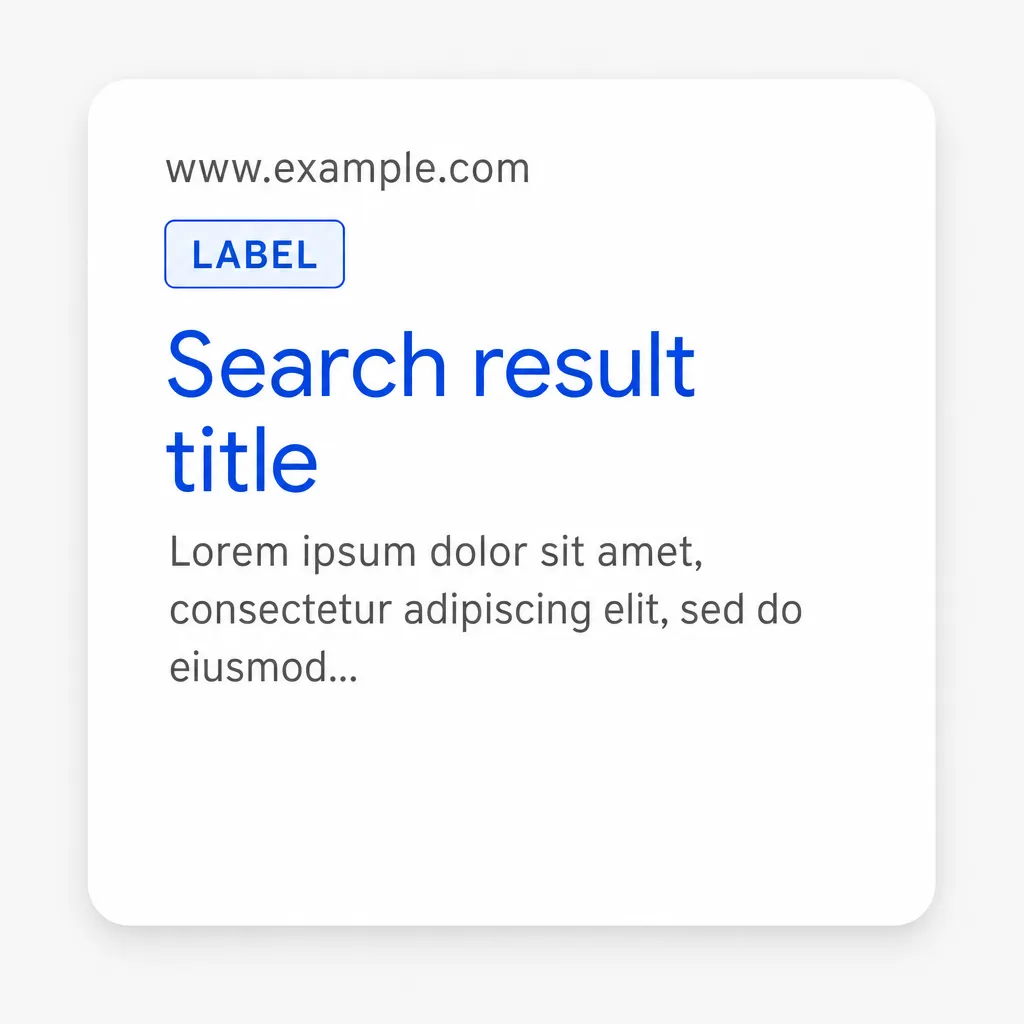
- The
<title>tag (short enough to show in full): This is the clickable blue headline in the search results. It must be unique, contain your main keyword (ideally near the start) and make people want to click. - Meta description (concise, no fixed limit): The short snippet under the headline. It isn't a direct ranking factor, but it is your sales pitch. Think of it as your page's trailer: it should sum up the content, spark curiosity and carry an implicit call to action ("Discover", "Learn", "Compare").
Images, your SEO allies
Heavy images slow down your site and frustrate your users.
- Optimise their file size: Use the WebP format and compress images before uploading them.
- Fill in the
altattribute: Thealtattribute is the text displayed if the image fails to load. Describe the image concisely, both for accessibility (screen readers) and for Google (which combines this text with computer vision and the page content to understand the image).
Internal linking: build a topic cluster
Internal linking means creating links between the pages of your own site.
- Why? 1) It helps Google discover all your pages. 2) It passes "authority" from a strong page (e.g. your homepage) to a weaker one (a brand-new blog post). 3) It keeps visitors on your site for longer.
- How? When you mention a concept in an article and another article covers it in detail, link to it! Use descriptive anchor text (e.g. "read our guide to local SEO" rather than "click here").
Step 4: link building (earning popularity and authority)
Link building is the process of acquiring external links. It's one of the most powerful factors for ranking in the search results.
Why are backlinks so crucial?
Every quality link pointing to your site is seen by Google as a vote of confidence. If a respected site in your field links to you, Google thinks: "Well, this content must be really good if a reference like that is citing it." Thanks to that trust, your site climbs up the Google search results.
How to earn quality links (without buying them)?
- Guest blogging: Offer to write a guest post for an influential, non-competing blog in your industry. You provide quality content and, in return, you get a link back to your site.
- Creating "linkable" content: Build resources so exceptional that others will naturally want to reference them: ultimate guides, original infographics, data-driven case studies, free tools...
- Media and press relations: Position yourself as an expert and respond to journalist requests on dedicated platforms such as HARO, Qwoted or Featured.
- Reclaiming unlinked mentions: Find sites that have mentioned your brand without linking to you, and reach out politely to ask them to add the link.
Careful: Quality beats quantity. A single link from an authoritative site is worth more than 100 links from low-quality directories. Keep an eye on your link profile in Google Search Console and use the disavow tool only if many spammy links have caused, or are likely to cause, a manual action: Google says most sites never need it.
Step 5: track and measure to keep improving (SEO is never finished)
SEO isn't a one-off job, it's an ongoing process of optimisation. Which means you need to track your performance.
Set clear (SMART) goals
Don't aim for "ranking number one on Google". Aim instead for a goal that's Specific, Measurable, Achievable, Realistic and Time-bound.
- Example: "Increase organic traffic from keywords related to [your product] by 20% within 6 months."
Your essential dashboard: Google's free tools
- Google Search Console: Your technical control centre. It monitors indexing, errors, clicks, impressions and the rankings of your most searched keywords.
- Google Analytics 4 (GA4): It tells you what visitors do once they're on your site. Which pages do they visit? How long do they stay? Do they convert?
- PageSpeed Insights: Measures your site's loading speed (a crucial ranking factor) and gives you concrete leads on how to improve it.
Adjusting your strategy based on this data and on the evolution of Google's ranking criteria is the key to lasting results.

Rank Higher Without the Manual Work
From technical audits with Nox to competitor monitoring with Marc, Sedestral's AI agents cover every layer of SEO so your team doesn't have to.